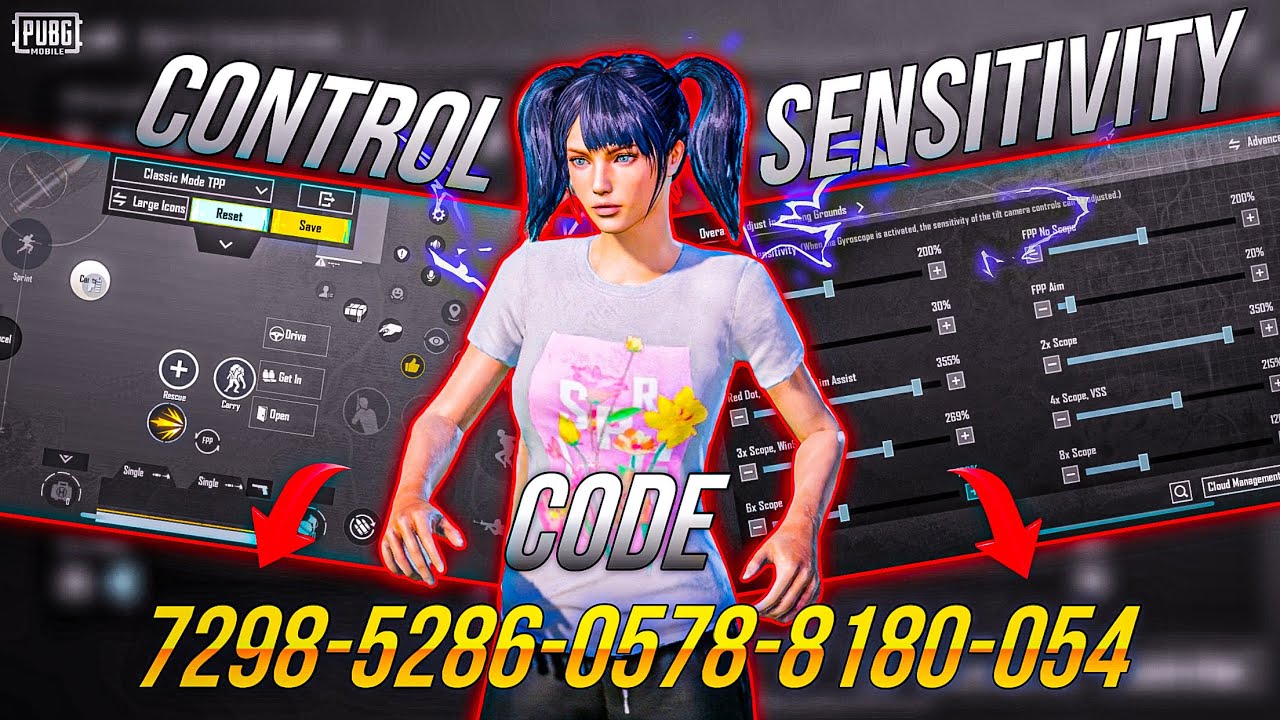
We’ve all been there – you spot an enemy, aim, and then your crosshair jerks like you’re having a seizure. Or you try to quick-peek and your character does a full 360. That’s not skill, that’s bad control codes. I’ve spent way too many hours in the training ground tweaking every slider and button to find the sweet spot for buttery-smooth gameplay. These 10 PUBG control codes are the ones that actually work – no fluff, no gimmicks. Choose what fits your playstyle and thank me later.
1. Camera Sensitivity – 80% for That Glassy Look
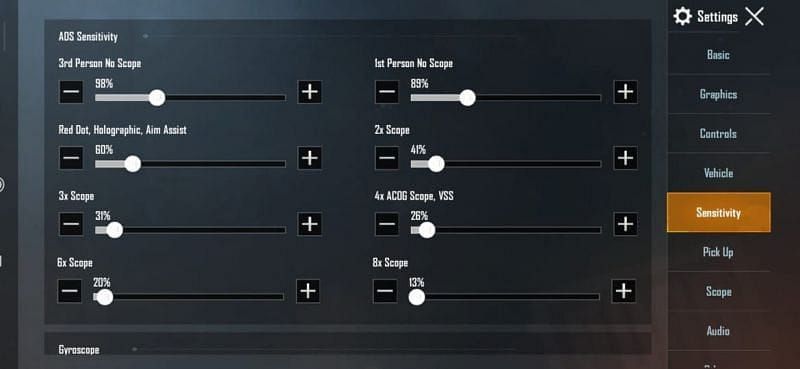
Camera sensitivity controls how fast your view moves when you swipe. For smooth gameplay, I keep it at 80% – high enough to react fast but low enough to not overshoot. If you play with a high DP, you can dial it down to 75%. Test it by spinning 180° – if you land exactly where you wanted, you’re golden. Pro tip: use the same value for both TPP and FPP camera to build muscle memory.
2. ADS Sensitivity – 40% for Pixel-Precise Aim

When you scope in, your sensitivity should drop. Hard. I run 40% for 2x and 3x scopes, and even lower for 4x and above. This prevents that annoying “whoosh” past a stationary enemy. Smooth ADS means you can track a moving target without hiccups. If you’re using a gyroscope, you can bump it up a tiny bit for fine-tuning.
3. Gyroscope Sensitivity – Get That Console Feel
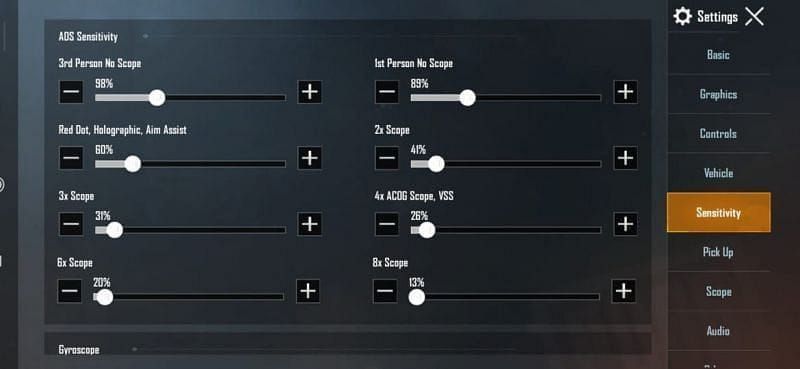
Gyroscope is the secret sauce for smooth aiming. Turn it on and set the sensitivity to 300% for normal view and 250% for ADS. That might sound crazy, but it lets you micro-correct your aim with tiny wrist movements. It takes a day to get used to, but once you do, your spray control will be silky smooth. Just don’t shake your phone too much – keep it steady.
4. Fire Button Size & Opacity – Bigger Is Smoother

Nervous thumbs jamming the fire button? Make it bigger. I set the fire button to 130% size and 80% opacity – still visible but not distracting. Place it right where your thumb rests naturally. This reduces accidental misses and makes your trigger responses feel instant. Smooth gameplay starts with a button you can actually hit.
5. Scope Sensitivity – Match Your Favorite Scope

Each scope needs its own sensitivity. I use 30% for 6x (when used as a sniper), 50% for 4x, and 60% for 3x. Why? Because higher zoom requires slower movement. Smooth gameplay means your crosshair glides to the target, not jumps. Test with each scope in training ground and adjust until it feels like the crosshair is glued to the enemy.
6. Peek & Fire – The Doorway Dance
Enabling peek & fire is a must for smooth peeking. I set left peek to the left side of the screen and right peek to the right, both at 90% size. This lets you lean around corners without breaking your aim. Combine it with a slightly increased peek sensitivity (50%) for crisp, fluid movement. No more fumbling mids-lit.
7. Movement Controls – Keep It Tight
The movement joystick is your lifeline. I use a fixed joystick with a size of 200% and 40% opacity. That might be controversial, but the larger surface gives me precise control over strafing and crouching. Also, enable “auto-run” by double-tapping the joystick – it sounds silly but it smooths out your transitions between running and aiming.
8. Layout Code: 7213-5489 – Community Proven
If you’re too lazy to tweak everything, just use this layout code: 7213-5489. It’s designed for smooth gameplay using three-finger claw (left thumb moves, left index fires, right thumb aims, right index jumps). The buttons are arranged to minimize finger travel. Import it, then adjust only your sensitivity. Trust me, this layout cuts your setup time in half.
9. Graphics Settings – Low for Maximum FPS
Smooth controls are useless if the game stutters. Set graphics to “Smooth” and frame rate to “Extreme” (if your device supports it). Turn off anti-aliasing and shadows – they eat frames. A consistent 60 FPS makes your inputs feel instant. The difference between 30 and 60 FPS is night and day for smooth gameplay. Your phone might get warm, but you’ll win more.
10. Claw Grip – The Ultimate Smooth Setup
If you’re still playing with two thumbs, you’re missing out. A three-finger claw (or four-finger) gives you more control without lifting fingers. I use my left index for fire, left thumb for movement, right thumb for aim, and right index for scope/jump. It takes a week to master, but once you do, your movement and aim will be buttery smooth. Practice in the training ground until it becomes second nature.
There you have it – 10 control codes and tweaks that transform your PUBG Mobile experience from clunky to silky. No single setting is a magic bullet (pun intended), but combined, they create that glassy, responsive feel that separates the pros from the pack. Start with the layout code and sensitivity numbers, then fine-tune based on your device and grip. Now go drop hot and don’t blame your controls anymore.



