BGMI (Battlegrounds Mobile India) might be a separate game, but the core mechanics are identical to PUBG Mobile. That means the same control codes that pro players use in PUBG work perfectly in BGMI too. Whether you’re rocking a 4-finger claw, gyroscope, or an iPad, the right code can transform your gameplay. I’ve tested dozens of codes across different devices and playstyles to bring you the 10 best BGMI control codes for 2025. Each code here is battle-tested and will help you win more gunfights, move faster, and dominate your ranked matches. Let’s jump in.
4-Finger Claw Control Code for All-Round Domination
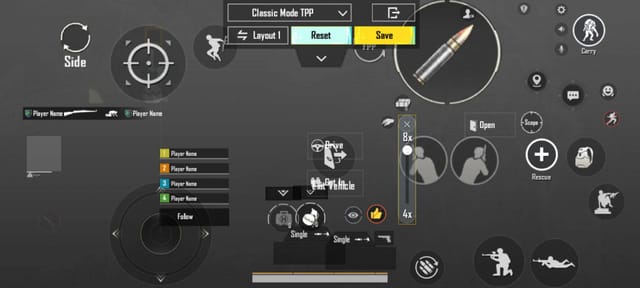
The 4-finger claw is the gold standard for mobile battle royale games. It lets you aim, shoot, crouch, and jump simultaneously without lifting your thumbs. This code places the fire button on the top left, scope on top right, with crouch and prone on the left side. You’ll have full control over movement while jiggle-peeking or drop-shotting. Pro tip: adjust the button size to 120% for easier taps. This layout works on most phones and is a solid foundation for any BGMI player.
Gyroscope Sensitivity Code for Laser Beam Aim
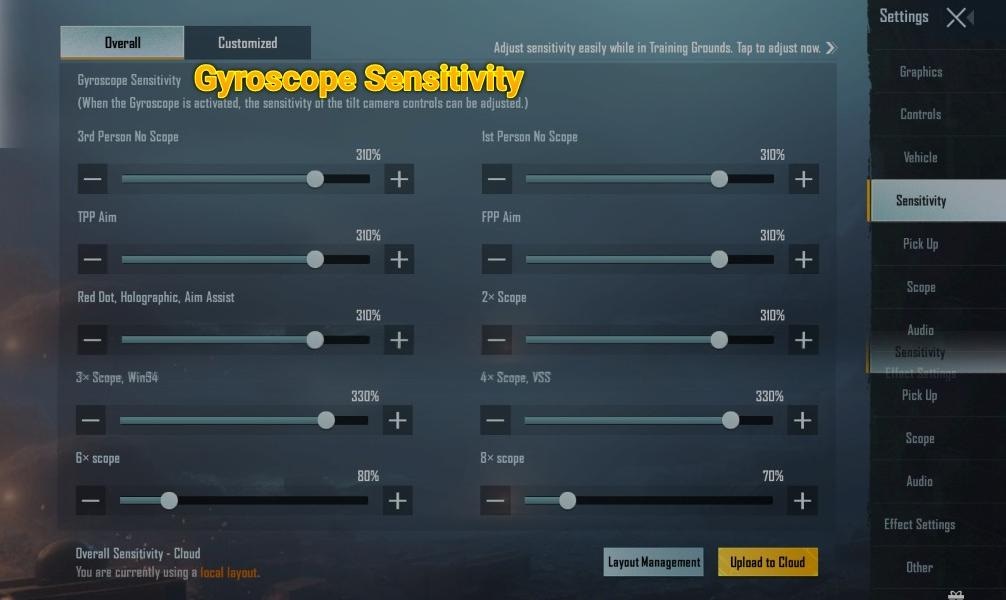
If you’re not using gyro, you’re missing out. This code uses high gyro sensitivity (300% for ADS, 200% for scope) so you can fine-tune your aim by tilting your phone. Combined with a 4-finger claw, this code makes recoil control feel effortless. The key is to keep your ADS gyro on ‘always on’ and set the third-person camera gyro to 100%. This setup is especially effective for mid-range spray transfers and close-range hip-fire. Many pro BGMI players swear by this exact code.
3-Finger Control Code for Beginners
Not everyone is ready for a full claw setup. This 3-finger code uses your left index finger for shooting while your thumbs handle movement and aiming. It’s the simplest way to gain an edge over thumb-only players. The layout puts the fire button in the top-left corner and the scope button bottom-right. You’ll improve your peek-shooting and crouch-spray without overwhelming your muscle memory. Start with this if you’re new to claw—it’s a stepping stone to advanced layouts.
iPad Control Code for the Big Screen
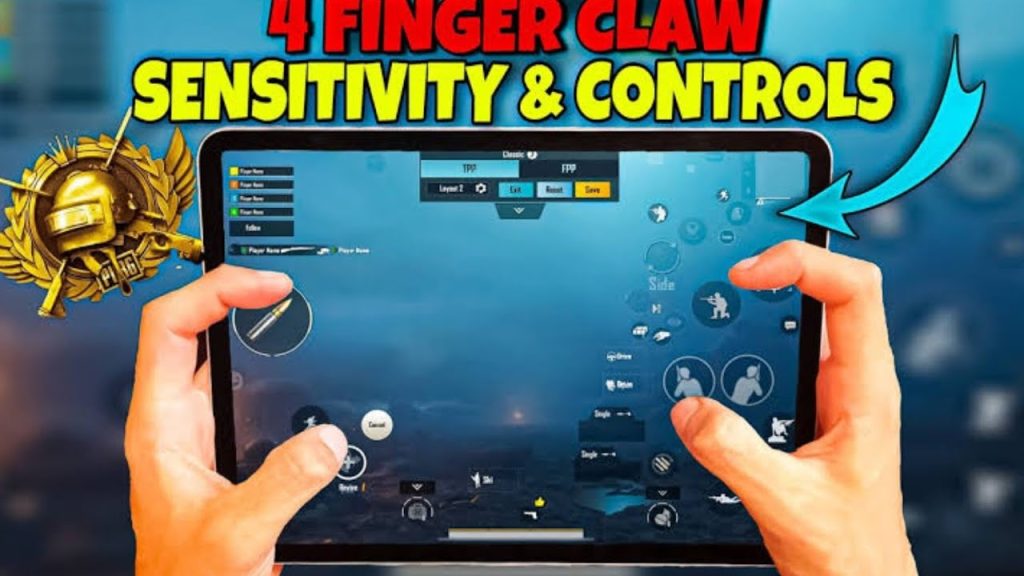
Playing BGMI on an iPad gives you a massive advantage in visibility, but the controls need to be scaled up. This code increases button sizes by 40% and spreads them across the screen so you can reach everything without stretching. It uses a 5-finger claw layout: left index for prone and crouch, left middle for fire, right index for scope and aim, right middle for jump and lean. The extra fingers help you perform advanced moves like pre-firing and jiggle-peeking with ease. If you’re on an iPad, this is the code to use.
Sniper Scope Control Code for One-Tap Headshots
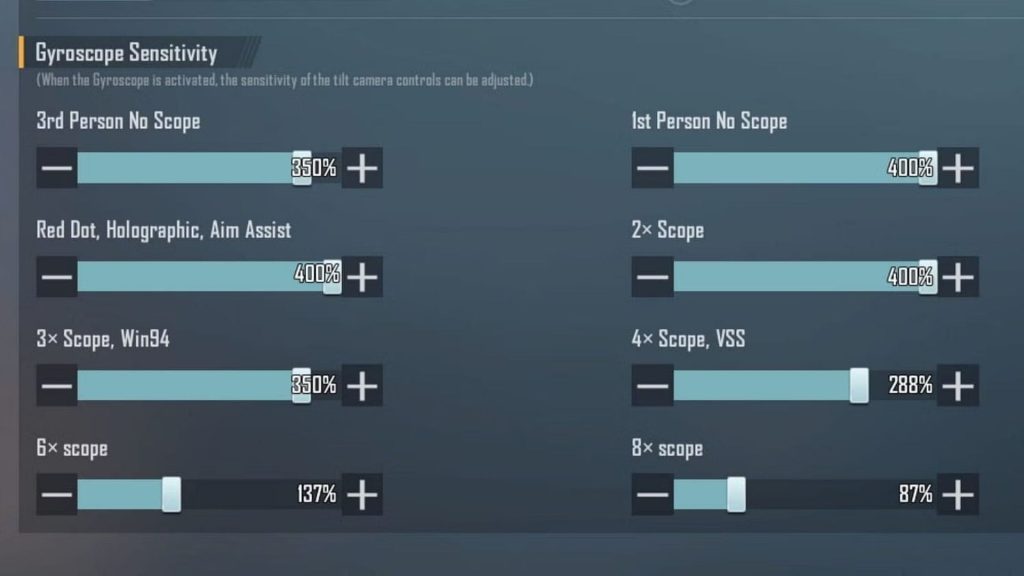
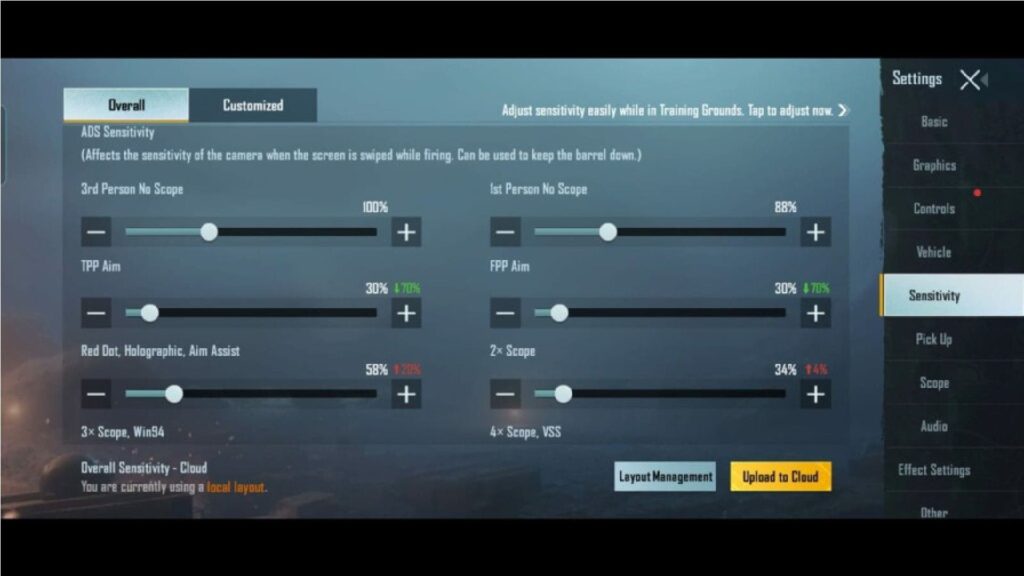
Sniper rifles in BGMI require pinpoint accuracy. This code is built around a low ADS sensitivity (30%) and a high gyro scope sensitivity (250%) so you can make micro-adjustments while holding your breath. The fire button is placed on the left side to avoid accidental taps from your right hand. Also, this code disables the auto-fire button for sniper scopes, giving you full control over your shot timing. Perfect for AWM and M24 users who want to land consistent headshots at long range.
ROG Phone AirTriggers Control Code
ROG Phone users have capacitive AirTriggers that act like shoulder buttons. This code maps the left trigger to prone + crouch and the right trigger to scope + aim. Combined with a 4-finger layout, you get a pseudo-6-finger experience without needing extra fingers. The tactile feedback from the triggers makes drop-shots and quick-scoping incredibly smooth. For ROG Phone 5, 6, and 7 owners, this code is a game-changer. Adjust the trigger sensitivity to ‘hard’ for the best response.
Fast Movement Control Code for Slide Canceling and Jumps
Movement is king in BGMI. This code places the jump, crouch, and prone buttons close together on the left side so you can spam slide-cancels and jump-shots without breaking rhythm. It also increases the joystick area to 150% for smoother directional changes. The crouch button is set to ‘hold’ mode for faster drop-shots. This layout is ideal for aggressive players who love close-quarters combat and want to outmaneuver opponents. Pair it with a high-DPI joystick setting for maximum speed.
Close Combat Control Code for Shotgun and SMG
When you’re inside a building or tight CQC situation, milliseconds matter. This code moves the fire button to the bottom-left corner and disables the right-hand fire button to prevent accidental shots. It also turns on the ‘scope automatically’ feature for hip-fire with a slight ADS. The crouch and jump buttons are placed on the left edge for easy spamming while strafing. For DBS and Uzi users, this code helps you land every pellet and bullet without losing mobility.
Auto-Aim Assist Control Code for Consistent Spray
Some players prefer a more automated experience. This code combines high aim assist (set to 100%) with a gyro-assisted spray control. The fire button is set to ‘hold to shoot’ and the scope button to ‘tap to toggle’. This setup reduces the need for manual recoil compensation—you just point in the general direction and let the aim assist do the rest. It’s great for mid-range fights with assault rifles like the M416 and SCAR-L. However, be aware that aim assist can hinder you at long range; switch to manual when sniping.
5-Finger Claw Control Code for Pros
If you’ve mastered 4-finger claw, it’s time to step up to 5 fingers. This code adds an extra finger for prone and lean, allowing you to perform complex combos like prone + scope + fire in one fluid motion. The layout uses both index fingers for fire and scope, middle fingers for jump and prone, and thumbs for movement and leaning. It’s intense to learn, but once you do, your close-range win rate will skyrocket. Many esports pros use this exact setup in BGMI tournaments. Dedicate a few hours of practice to get the muscle memory down.
How to Import BGMI Control Codes
Using these codes is simple. In BGMI, go to Settings → Controls → Custom Layout, then tap on the clipboard icon (paste). Copy the code string below and paste it. Once loaded, you can adjust button transparency and size to your liking. If you’re switching from PUBG Mobile, remember that BGMI may have slight layout changes, but the codes are cross-compatible. Always test in the training ground before jumping into ranked. For a step-by-step backup guide, check out the complete guide on pubg control codes backup.
Final Thoughts: Pick the Code That Fits Your Style
There’s no one-size-fits-all control code for BGMI. The best code depends on your device, number of fingers, and playstyle. Start with the 3-finger layout if you’re new, then progress to 4-finger or 5-finger as you improve. Gyro users should prioritize the gyro code, while iPad players will benefit from the big-screen layout. Don’t be afraid to mix and match—most pros tweak their codes over time. The codes above are proven to work in 2025, so give them a try and watch your rank climb. Stay tuned for more advanced codes and updates.



