In PUBG Mobile, your control setup can be the difference between chicken dinner and an early exit. Peek settings and control codes are the two pillars of a winning gameplay style. After testing dozens of configurations from pro players and analyzing high-rank replays, I’ve curated 10 of the most effective setups. Whether you’re a claw user or a gyroscope enthusiast, these tweaks will sharpen your reaction time and make your peeks deadly. Let’s dive in.
1. Master the Art of Peek Shooting
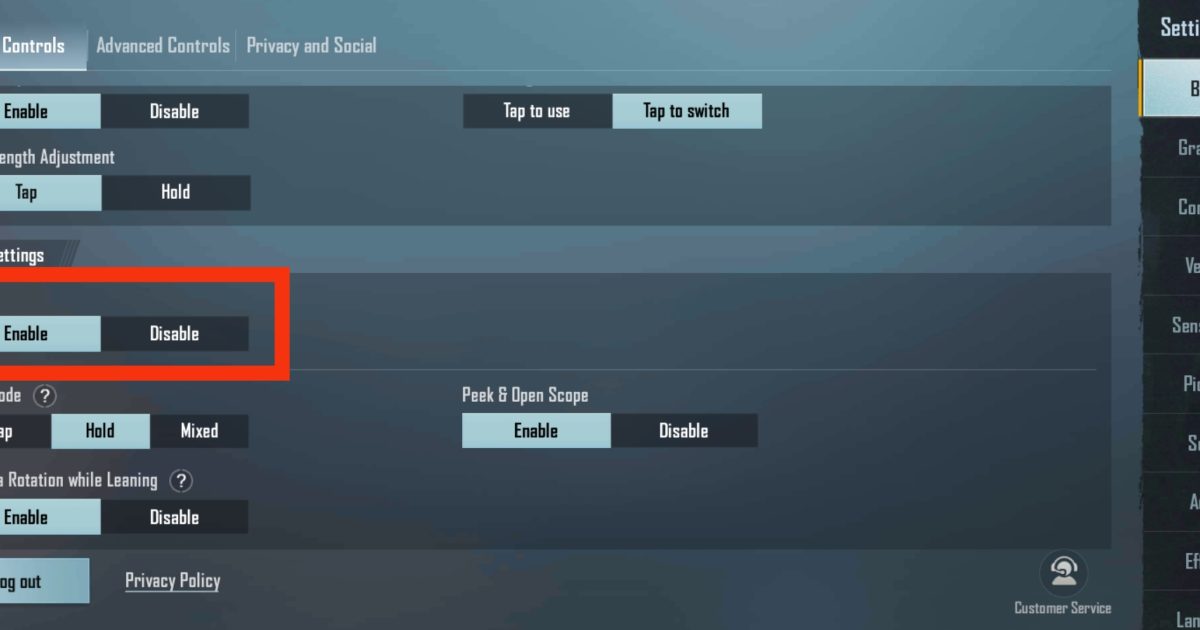
Peek shooting is about exposing as little of your body as possible while landing shots. The default peek settings work, but you can improve them. Go to Settings > Controls > Peek & Fire and enable “Peek & Fire” mode. This lets you automatically fire while leaning. For faster peeks, increase the “Peek Sensitivity” slider to around 80-100%. This makes your character lean out quicker. Pair this with simple control codes that prioritize agility — you’ll be peeking like a pro in no time.
2. Optimize Your 3-Finger Claw Setup
A 3-finger claw layout gives you better control over aiming, shooting, and movement simultaneously. For peak efficiency, place the fire button on the top left, scope on the top right, and crouch on the lower right. Use control codes that map these actions to finger positions you’re comfortable with. Adjust button sizes to 120% for easier taps. Practicing on the training ground will make the transition smooth. Many pro players swear by this setup for its balance of speed and precision.
3. Fine-Tune Your Gyroscope Sensitivity
Gyroscope control adds an extra dimension to your aim. For peek shooting, set gyro scope sensitivity to 200-300% for red dot and holo sights. This lets you micro-adjust your aim while leaning without moving your thumb. For 4x scopes, reduce gyro sensitivity to 100-150% to avoid overcompensation. The latest iPhone control codes often include gyro tweaks because of the device’s high refresh rate. Experiment with these settings in TDM to find your sweet spot.
4. The Perfect Crosshair Placement
Your crosshair should always be at head level, especially when peeking. When you peek from behind cover, keep your crosshair at the corner edge so the moment you lean, the reticle is already on the enemy. Practice this with a 3-finger claw setup and use faster movement codes to strafe in and out quickly. A common mistake is aiming too low — train yourself to aim high, and you’ll win more open-field fights.
5. Customize Your Scope Sensitivity
Each scope requires different sensitivity. For peek battles at medium range, set your 2x scope sensitivity to 40-50% and 3x to 35-40%. This prevents crosshair drift when you lean and fire. If you use a 6x scope, adjust it to 20-25% for better stability. Many players import tested control codes from pros who already perfected these values. Save your own preset and keep a backup guide in case you reset settings. That way, you never lose your ideal configuration.

6. Lean and Fire: The Ultimate Peek Combo
Combining lean with fire is crucial. When you peek, lean in the direction you expect the enemy and fire immediately. For right-hand peeks (over a wall), lean right and fire; for left-hand peeks, reverse. This minimizes exposure time. To execute this seamlessly, use control codes that map lean buttons close to your fire button. For example, place left lean on the left edge of the screen and right lean on the right edge. This allows instant flick shots without moving your aim finger.
7. Adjust Your Aim Assist Settings
Aim assist can help you track enemies during peeks, but it can also drag your crosshair off target if multiple enemies are nearby. Go to Settings > Sensitivity and set Aim Assist to “Medium” or turn it off entirely if you rely on gyroscope. For control codes, disable aim assist in sniper scope setups to avoid unwanted pulls. Practice without assist in the training ground to develop raw aim. This is especially helpful in BGMI, where aim assist works differently from global PUBG Mobile.
8. Create a Dedicated Peek Button Layout
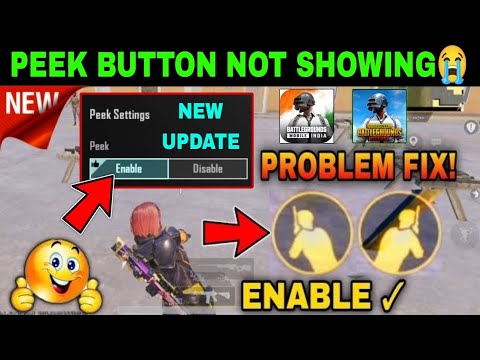
Most players use the default side buttons for peeking, but a dedicated layout can improve reaction time. Place two extra buttons on screen — one for each peek direction — near your fire button. For 3-finger users, put left peek at the top left and right peek at the top right. This way you can peek while maintaining movement with your left thumb. Many pro players share their custom UIs on Discord servers. Copy a control code from YouTube to skip the trial and error.
9. Use Control Codes to Match Your Playstyle
Control codes aren’t one-size-fits-all. If you prefer aggressive peeking, seek out simple control codes that emphasize speed over precision. For instance, codes that increase movement speed sensitivity or reduce ADS delay. On the other hand, passive players should use control codes that focus on stability — such as slower scope transitions and higher hitbox padding. There are specific codes for every device, including tested control codes for ROG Phones and iPads. Always test new codes in Arena or Training before using them in ranked.
10. Practice Peeking in Training Mode
Your settings won’t mean much without muscle memory. Spend 10 minutes daily in Training Mode practicing peek shots against moving bots. Set the bot movement to “Random” and practice both left and right peeks. Use a 3-finger claw with combined lean and fire. Record your practice to spot weak points. Many top players also use the “Peek & Scope” challenge: scope in, lean, fire, and unscope in under a second. Repeat until it feels automatic.
11. Experiment with Different Peek Angles
Not all peeks are the same. Side peeks (from behind walls) are different from vertical peeks (from ridges or windows). For side peeks, lean-to-fire is best. For vertical peeks, use crouch jumps or jump-shots. Adjust your control codes to include a dedicated jump button near the peek buttons for quick vertical moves. Some players use a separate set of codes for vertical peeking — save these as a secondary layout. The more angles you master, the harder you are to predict.
12. Keep Your Control Codes Updated
PUBG Mobile updates regularly, and each patch may tweak the control system. Always check for the latest control codes to ensure compatibility. Many authors release updated codes after season resets. Bookmark a reliable source for the newest codes and maintain a backup guide to restore your settings quickly. If you’re on an iPhone, the latest iPhone control codes often include fixes for new devices. Staying current means you never lag behind the meta.
There you have it — 12 actionable peeking settings and control codes to transform your PUBG Mobile gameplay. Start by tweaking one aspect, like your peek sensitivity or claw layout, and practice until it feels second nature. Combine these with a solid backup guide to safeguard your progress. Remember, consistency beats flashy moves. Implement these tips, and you’ll see your win rate climb. Now get out there and dominate.



