
PUBG Mobile is a game of milliseconds. The difference between a chicken dinner and an early exit often comes down to your control setup. Top players use specific control codes—optimized sensitivity values, custom button layouts, and grip configurations—to react faster and aim more precisely. I’ve combed through pro streams, tournament settings, and community guides to bring you 10 essential control codes that will level up your game. Whether you’re a thumb player looking to switch to claw or a claw pro wanting to fine-tune your gyro, these picks are proven to work.
1. 3-Finger Claw Layout
The 3-finger claw is the gateway to pro controls. Use your left index finger to fire (top-left corner) while your thumbs aim and move. This frees up your thumb for aiming while shooting—critical for quick peeks and spray transfers. A common code is to set the fire button to a small size (around 40%) and place it just above the usual shoot button area. Move the scope button to the right side for your thumb. The result is snappier reaction time in close-quarters fights.
2. 4-Finger Claw Layout
For even faster actions, go with a 4-finger claw. Your left index handles fire, left thumb moves, right index aims (or scope), and right thumb controls jump/crouch. The key is to map your right index to both ADS and scope toggling on a single button. Use a transparent layout with edges visible. Many pros use a 100% opacity fire button and 50% for others to reduce clutter. This layout lets you jump-shoot and prone-spray without shifting fingers.
3. Gyroscope Sensitivity Settings
Gyro is a game-changer for fine aiming. Pros often set their gyro sensitivity high—around 300% for all scopes. Start with 300% for red dot, 200% for 4x, and 100% for 6x and 8x. Enable gyro in both ADS and scope modes. The trick is to use gyro for small adjustments while your thumb handles large swipes. This combo gives you laser-like recoil control, especially for spray transfers on moving targets.
4. ADS Sensitivity Settings
ADS sensitivity determines how fast your aim moves when scoped. Pros typically run higher ADS sensitivity for close-range fights and lower for long-range. A good baseline is 50-70% for red dot, 40-50% for 2x, 30-40% for 3x, 20-30% for 4x, and 15-20% for 6x/8x. The exact numbers depend on your device and personal feel. Adjust them in training mode until you can track a moving target smoothly without overcorrecting.
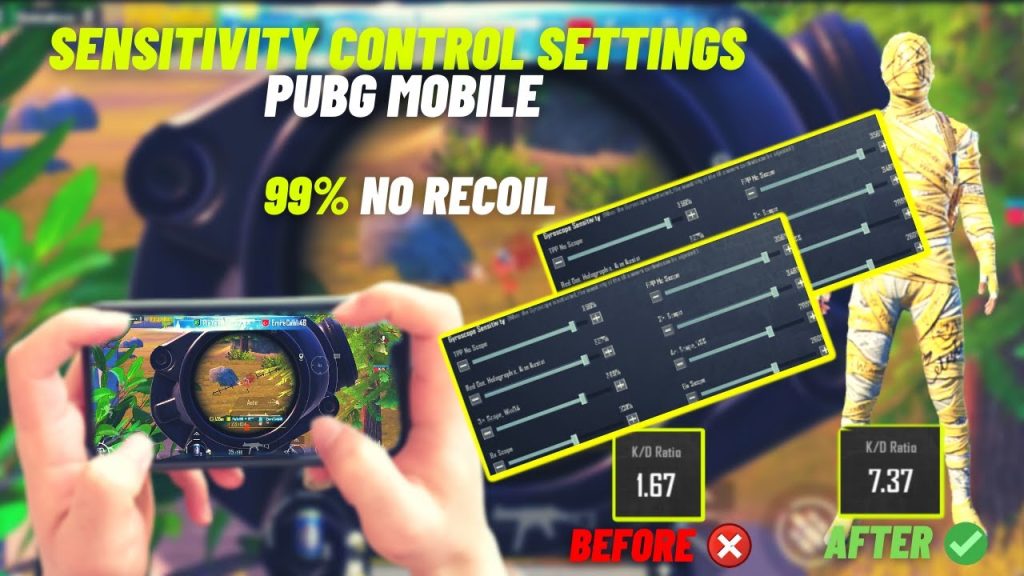
5. Scope Sensitivity Settings
Scope sensitivity works independently from ADS and affects magnification zoom. For scopes like the 6x that you might use in a range, many pros keep it around 30-40%. For the 8x, 20-30% is common to avoid jittery movements. The key is to match scope sensitivity to your ADS so transitions feel natural. Test by quickly flicking between targets at different ranges—if you overshoot, lower it; if you undershoot, raise it.
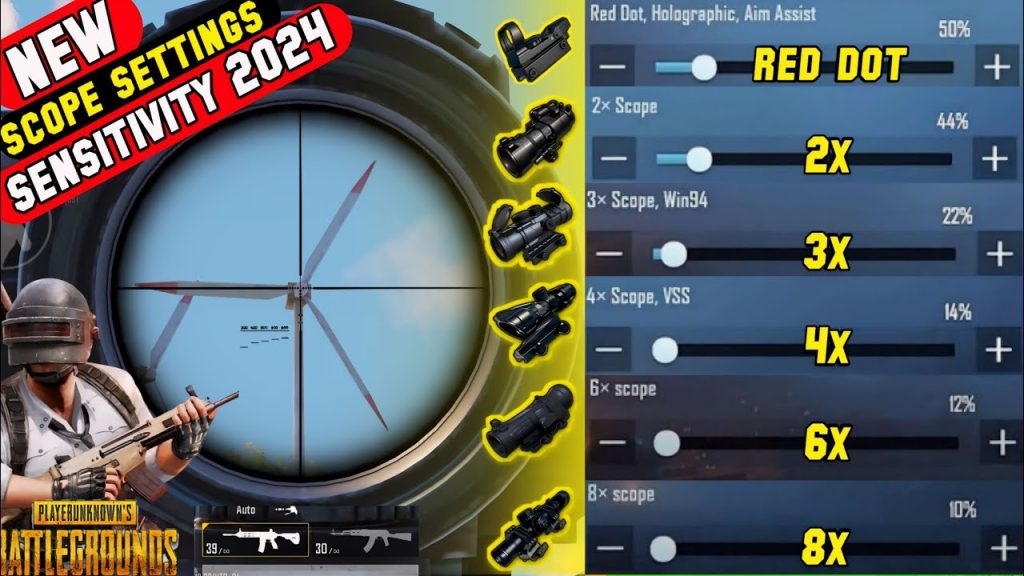
6. Movement Controls: Peek and Free Look
Pro movement relies on quick peeking and situational awareness. Move your peek buttons (shoulder peek left/right) to the top-left and top-right corners near fire and aim. Use a small size (around 30%) and increase opacity. Free look should be placed on the left side near movement joystick. Many pros also enable ‘Hold to peek’ instead of toggle for faster reaction. These settings let you lean-shoot without exposing your body fully.
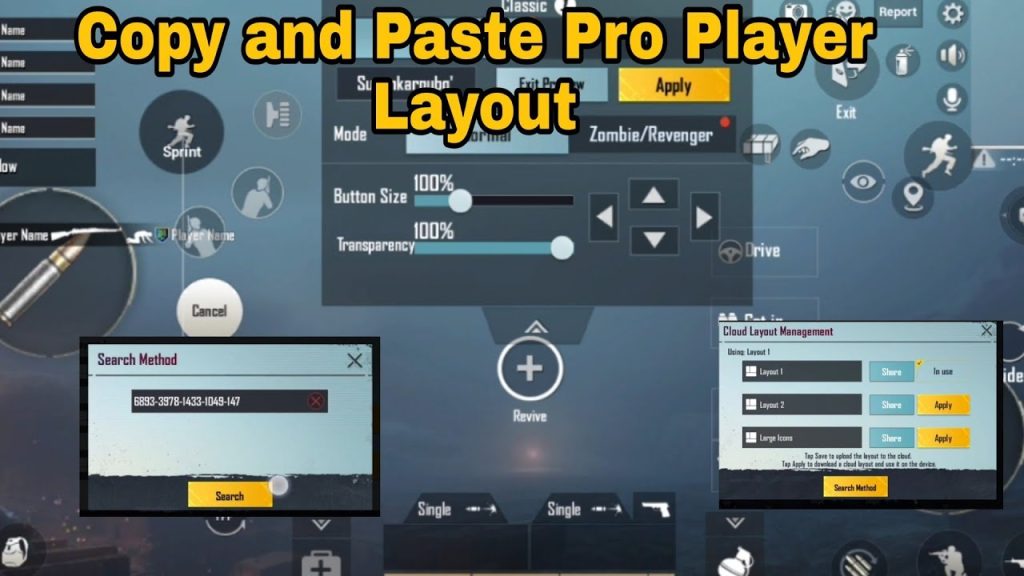
7. Button Layout Customization
Your buttons should be sized and positioned for muscle memory. Keep fire and aim buttons large (60-80%) and placed where your claw fingers rest. Avoid overlapping—use transparency sliders to see through buttons. Group related actions: scope buttons near aim, grenade near fire, meds near movement. For claw players, put jump and crouch on the right thumb with a small size (40%). Test in arena mode before taking it to classic.

8. Aim Assist Settings
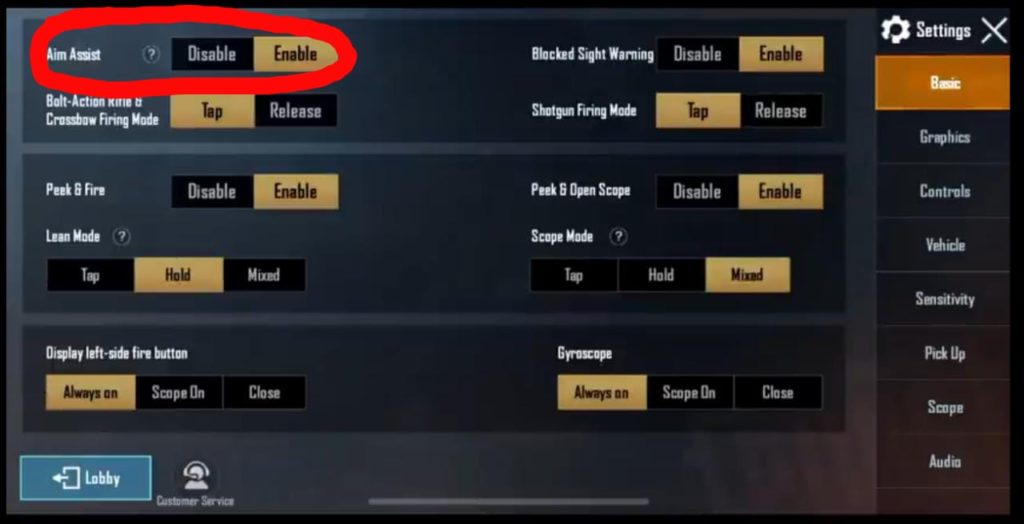
Aim assist in PUBG Mobile has two parts: the aim assist toggle and the gyro scope aim assist. Pros often turn off regular aim assist because it can drag your crosshair away during swaps. But they enable gyro scope aim assist (if device supports) for smoother tracking. A popular code is: Aim Assist = OFF, Gyro Scope Assist = ON. This gives you a pure aim with gyro assistance only when scoped, not during normal ADS.
9. Recoil Control Settings
Recoil control isn’t just about dragging down; it’s about sensitivity. Pros use a ‘recoil control sensitivity’ trick: set your vertical multiplier to around 1.2-1.5 and horizontal to 0.8-1.0. This makes vertical sprays easier while reducing horizontal wobble. Also, set your fire button to a small size near the bottom of the screen so your thumb naturally drags downward. Combine with gyro for even better recoil management.
10. Fire Mode and Sound Settings
Fire mode selection (single vs auto) should be easily accessible. Place the fire mode button near your firing finger. Many pros use a single button to toggle between auto and single—no burst. For sound, enable ‘Visualize Sound Effects’ to see footsteps and gunshots on screen. Set sound quality to High and volume to 80% for clarity. These settings help you react to audio cues without changing your control grip.
That’s the set—10 control codes that form the foundation of pro PUBG Mobile play. Remember, no configuration will instantly turn you into a champion. You need to practice these layouts in Training Ground and TDM matches until they feel natural. Start with one change at a time, maybe the gyro sensitivity or the 3-finger layout, and let your muscle memory adapt. Once these codes become second nature, you’ll notice faster reactions, cleaner sprays, and more chicken dinners. Go ahead, tweak your settings and drop into Erangel with confidence.



