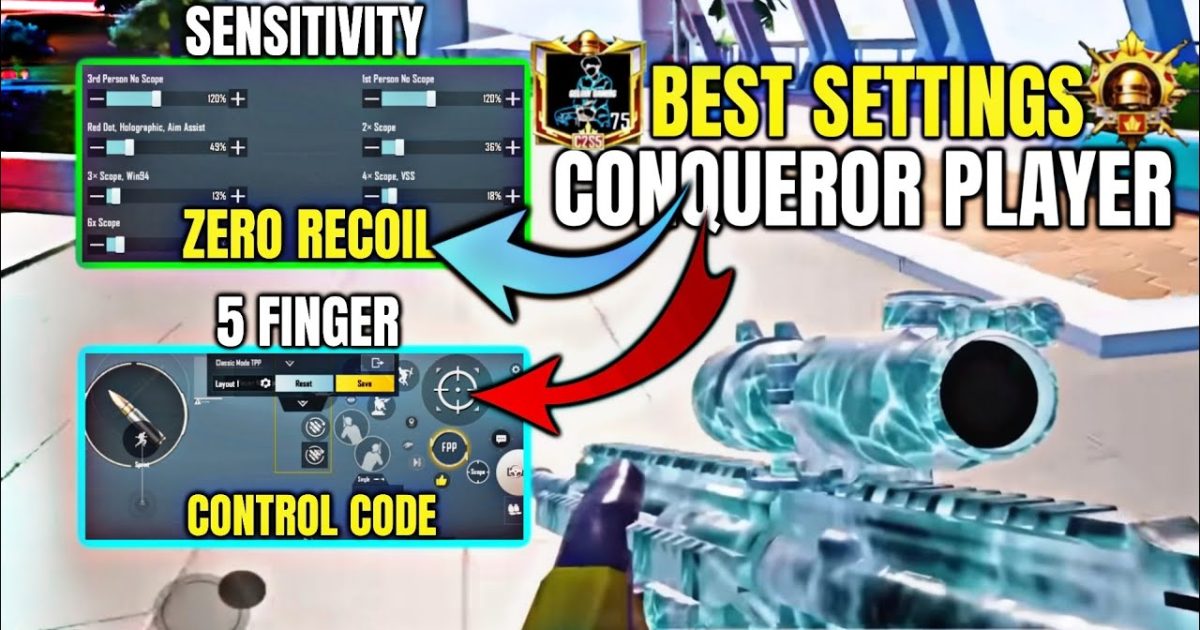
Reaching the Conqueror tier in PUBG Mobile isn’t just about fragging out—it’s about consistency, game sense, and having a control setup that lets you react faster than your opponents. After grinding through the leaderboard myself and studying layouts from top-ranked players, I’ve narrowed down the control codes that actually give you an edge in high-lobby matches. These aren’t generic setups; they’re fine-tuned for aggressive pushes, quick peeks, and split-second aim adjustments. Whether you play on a flagship phone or a mid-range device, one of these codes will fit your style and help you climb those final ranks.
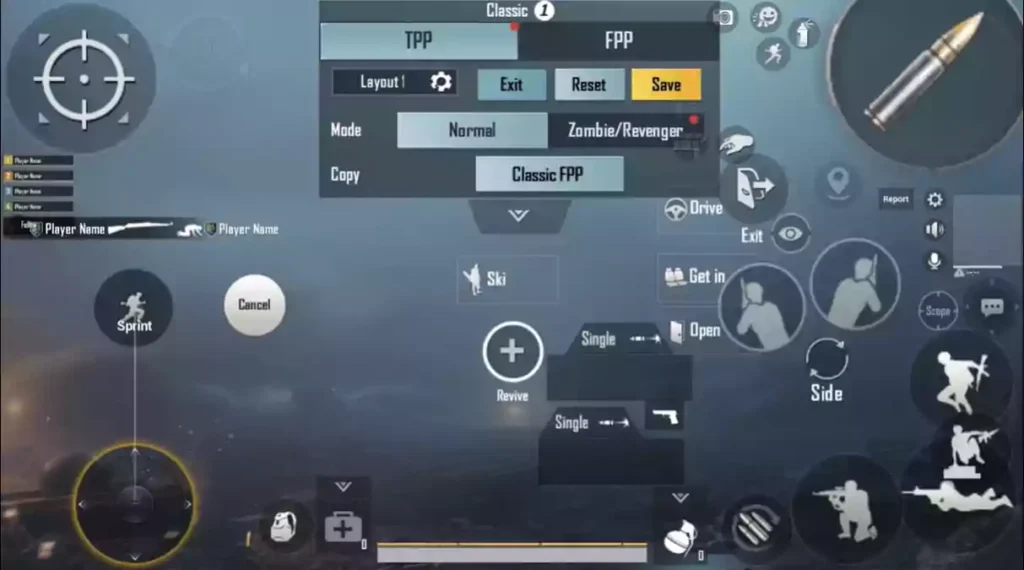
1. Aggressive 5-Finger Claw for Close Quarters
This layout puts all the critical actions—fire, scope, lean, jump, and crouch—on separate fingers, letting you move and shoot without lifting a digit. The code arranges your fire button on the top left, scope on top right, lean buttons on the edges, and crouch on the bottom right. It’s brutal for CQB because you can jiggle peek, drop shot, and hip fire while ADSing instantly. If you’ve been using a 4 finger layout code, this takes it a step further by adding a dedicated lean finger. Works best on devices with at least 6 inches of screen real estate.
2. Gyro-Assisted Spray Transfer Code
Gyro users know the pain of over-aiming when switching targets. This control code locks your vertical sensitivity to a comfortable 300% while setting horizontal gyro to 400%, plus a tight dead zone. Combined with a custom ADS sensitivity of 40 for 3x scope, you can spray from one target to the next without resetting your aim. The code also disables aim assist on close range to prevent sticky crosshairs from throwing off your transfer. Great for players who rely on gyro for recoil control but want smoother target switching.
3. Jiggle Peek God Mode (No Gyro)
If gyro isn’t your thing, this code mimics the jiggle peek movement by mapping lean buttons to your thumbs with a 0.2-second delay repeat. The layout places peek left on the left edge, peek right on the right edge, and fire on the top right. Your thumbs never leave the movement zone, so you can lean-shoot-lean in under a second. This is a favorite among Conqueror players using tablets because the larger screen makes thumb-leaning precise. It’s one of those control codes for ace push that pros keep private.
4. Drop Shot Master Code
Drop shotting—going prone mid-gunfight—can win you rounds in open fields. This code puts the prone button right next to the fire button on the right side, so your right thumb can hit both without moving. The crouch button is shifted to the left side, allowing you to toggle between crouch and prone seamlessly. Sensitivity for ADS is cranked to 50 to compensate for the sudden movement change. Works best when combined with a 4 finger layout code that already maps fire and scope separately.
5. 3x Scope Laser Setup
The 3x scope is a beast for mid-range sprays, but only if your control code tames its recoil. This layout reduces vertical sensitivity to 20 for 3x and sets a custom fire button size to 140% for easier tapping. The code also moves the scope button slightly lower so your thumb rests naturally. You’ll find that spraying with a 3x becomes as easy as a red dot. Many Conqueror players use this as their main scope setting and switch to 6x for sniping. It’s a refined version of the optimized control codes from earlier seasons.
6. Hip Fire Beast Mode
Close range hip fire can melt enemies if your buttons are positioned for instant access. This code removes the scope button entirely and replaces it with a secondary fire button for hip fire only. The main fire button is widened to 80% opacity and placed low on the right side, so your thumb rests on it naturally. Combined with a 100% camera sensitivity, you can track moving targets without dragging your thumb off the fire zone. Ideal for shotgun or SMG users pushing compounds aggressively.

7. Quick Scope Sniper Code
Quick scoping requires a specific button order: scope, then fire, all within a split second. This layout stacks the scope button directly on top of the fire button (offset by 5 pixels) so a single tap registers both if you hold slightly. The ADS sensitivity for 8x is set to 15 for steady aim. The code also disables aim assist on sniper rifles to prevent unwanted drag. If you’re an aggressive sniper who pushes with a bolt action, this control code will save you precious milliseconds.
8. Auto-Peek and Shoot Code
This advanced code uses the auto-peek mechanic by mapping the peek buttons to the same area as the fire button but with different opacity triggers. When you hold the left peek, it automatically leans and starts firing after a 0.1-second delay. This creates a peek-shoot-peek rhythm that’s almost impossible to counter. It’s considered one of the best pro player control codes for aggressive gameplay. Requires some practice to avoid accidental peeks, but once mastered, you’ll dominate ridge fights.
9. 144Hz Optimized Control Code
Devices with 144Hz displays need control codes that take advantage of the higher refresh rate. This layout reduces input lag by setting the fire button to 200% size with 100% opacity, and the camera sensitivity to 120% for smoother tracking. The scope animation speed is increased via sensor tweaks in the code. If you’re using a high-end phone or iPad, these control codes for 144Hz devices will make your aim feel buttery smooth and give you an edge in fast encounters.
10. All-Rounder Conqueror Code
This is a balanced 4 finger layout that works in every situation—close, mid, and long range. The code uses a standard claw with fire on top left, scope on top right, crouch on bottom left, and jump on bottom right. Camera sensitivity is set to 80%, ADS to 30, and gyro to 250%. It’s not flashy but extremely consistent. Many Conqueror players keep this as their main setup because it doesn’t sacrifice anything. If you’re new to custom codes, this is a great starting point before tweaking for your specific playstyle.
These 10 control codes cover the most effective layouts for pushing Conqueror in the current meta. Whether you prefer gyro, no gyro, claw, or thumb, there’s something here to upgrade your game. Remember to import control codes correctly and adjust sensitivity slightly to match your device and feel. The right layout won’t instantly make you a pro, but it will remove mechanical barriers and let your game sense shine. Pick one, practice in the training ground, and then take it into ranked. See you in Conqueror lobbies!



