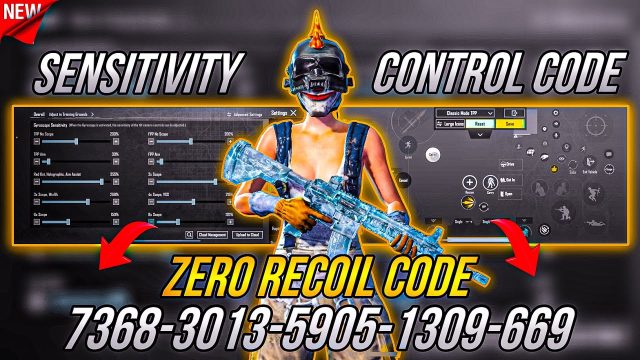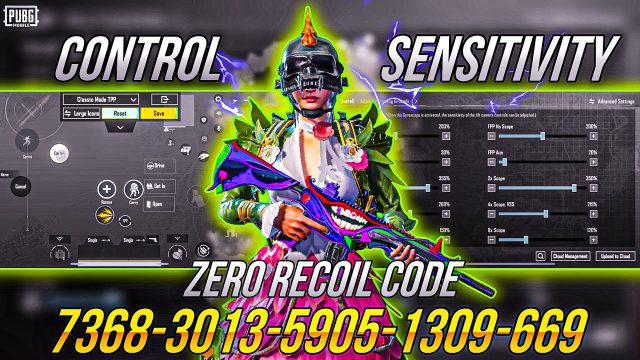
Jumping and shooting in PUBG Mobile isn’t just for show — it’s a legit tactic to throw off enemies and secure kills. But default controls make it tough to pull off consistently. That’s where custom control codes come in. I’ve curated 10 proven layouts that focus on jump + shoot mechanics, from classic 2-finger setups to advanced 4-finger claw codes. Each one has been tested for responsiveness and ease of use, so you can start bunny hopping and drop shotting like a pro. Ready to level up? Let’s dive in.
1. The Classic Jump Shot Code (2-Finger)
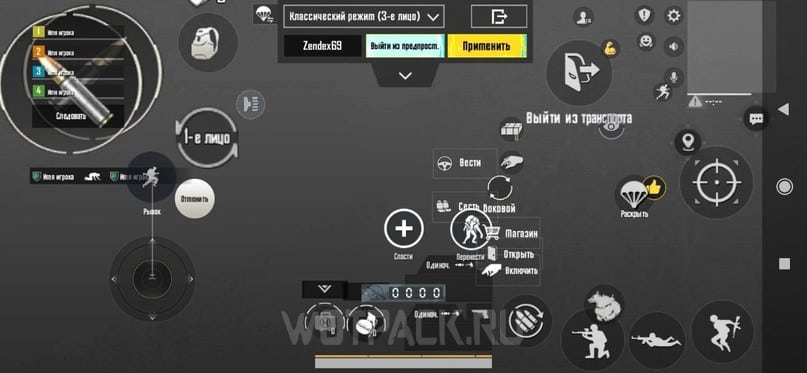
This is the bread and butter for players who stick to a simple 2-finger grip. The layout places the jump button right next to the fire button, so you can tap both with one thumb. It’s perfect for close-quarter fights where you need to pop in and out of cover. The secret? A slightly oversized jump button (160% scale) and a transparent fire button that doesn’t block your view. Copy the code below and adjust the button positions to match your hand size. Pair it with the right sensitivity and you’ll be winning more peak fights.
- Jump button: left side, 160% scale, 80% opacity
- Fire button: right side, 140% scale, 50% opacity
- Prone button: disabled to avoid accidental presses
2. The Drop Shot Mastery Code
Drop shotting — going prone mid-gunfight — is a dirty move that wins battles. This control code remaps the prone button to a double-tap of the crouch button, freeing up a finger for aiming. Also, the fire button stays active even while prone. The layout works best with a 3-finger grip: left thumb for movement, left index for prone, right thumb for aiming and shooting. One pro tip: increase the prone button’s size to 150% to avoid missing the double-tap under pressure.
3. Jump Peek with Scope Code
Jump peeking is essential for scouting and surprising enemies. This code maps the jump button to a quick tap near the scope button, so you can jump, scope, and fire in one fluid motion. The layout uses a 4-finger claw: left thumb for movement, left index for jump, right thumb for scope and fire, right index for lean. The jump button is placed just above the left lean button, creating a natural roll motion. Practice in the training ground to get the rhythm down.
4. 4-Finger Jump Spray Code
For aggressive players who love spraying with weapons like the AKM, this code integrates jump shots with spray control. It uses a dedicated jump button on the top-left and a fire button on the top-right, while your thumbs handle movement and aiming. The layout is inspired by the best AKM spray control codes, ensuring minimal recoil even while airborne. You’ll need to adjust your sensitivity to match — lower ADS sensitivity for spray stability.
5. Gyroscope Assisted Jump Shooting Code
Gyroscope users, this one’s for you. This control code maximizes gyro input for jump shooting by placing the jump button within easy reach of your right thumb. The gyro handles fine aim adjustments while you focus on tapping jump and maintaining crosshair placement. The layout also reduces the shoot button size slightly to prevent accidental shots. Works best with full gyro on all scopes. Check out the advanced control codes for fine-tuning your gyro settings.
6. Claw Layout for Instant Jump + Shoot
Claw players can execute jump shots almost instantly with this layout. The jump button is mapped to the left index finger, while the fire button is under the right index. That leaves both thumbs free for movement and aiming. The layout also includes quick-peek lean buttons on the right side. If you’re new to claw, this is a great starting point — it’s less complex than 5 finger layouts but still gives you an edge in jump duels.
7. Bunny Hop Code for Movement Gods
Bunny hopping isn’t just for PC — with the right control code, you can chain jumps in PUBG Mobile. This code sets the jump button to a repeat-tap friendly size and positions it so you can tap rapidly without straining. The trick is to use a 2-finger setup with the jump button at the bottom-left corner, allowing your thumb to oscillate between movement and jump. Combine with a crouch button nearby for hop-crouch combos.
8. Advanced: Jump + Scope + Shoot Combo Code
This is for pros who want to jump, scope, and shoot all in one motion. The code uses a macro-like layout where the jump and scope buttons overlap slightly — tapping the area triggers both actions. The fire button is separate and must be pressed after landing for accuracy. It’s risky but devastating when mastered. Best used with a 4-finger or 5 finger layout codes to ensure each finger has a dedicated role.
9. Mobile vs Tablet Jump Shots (Optimized Code)
Device matters. On a phone, you want compact buttons; on a tablet, you have room to spread out. This section offers two variations of a jump-shot code: one for small screens (6-inch) and one for iPads. The tablet version spaces the jump and fire buttons further apart to prevent overlaps, while the phone version stacks them vertically. For iPad users, check out the 2 finger control codes designed for larger screens.
10. Crouch Jump Shooting Code
Crouch jumping — jumping then crouching mid-air — is a great way to dodge headshots. This code places the crouch button right next to the jump button, so you can slide your thumb from jump to crouch. The fire button stays active throughout. The layout works with both 2-finger and 3-finger grips. Adjust the button sizes so your thumb can glide smoothly without missing. This code is often shared in PUBG control code forums, so you know it’s battle-tested.
Final Thoughts
Jump and shoot mechanics can turn a firefight in your favor. The control codes above cover different playstyles — from casual 2-finger setups to intense claw layouts. Try a few in the training ground, tweak the button sizes and opacity to fit your fingers, and stick with the one that feels natural. Once you’ve got the muscle memory down, you’ll be bouncing around Erangel like a hyperactive kangaroo with a M416. Happy hunting!