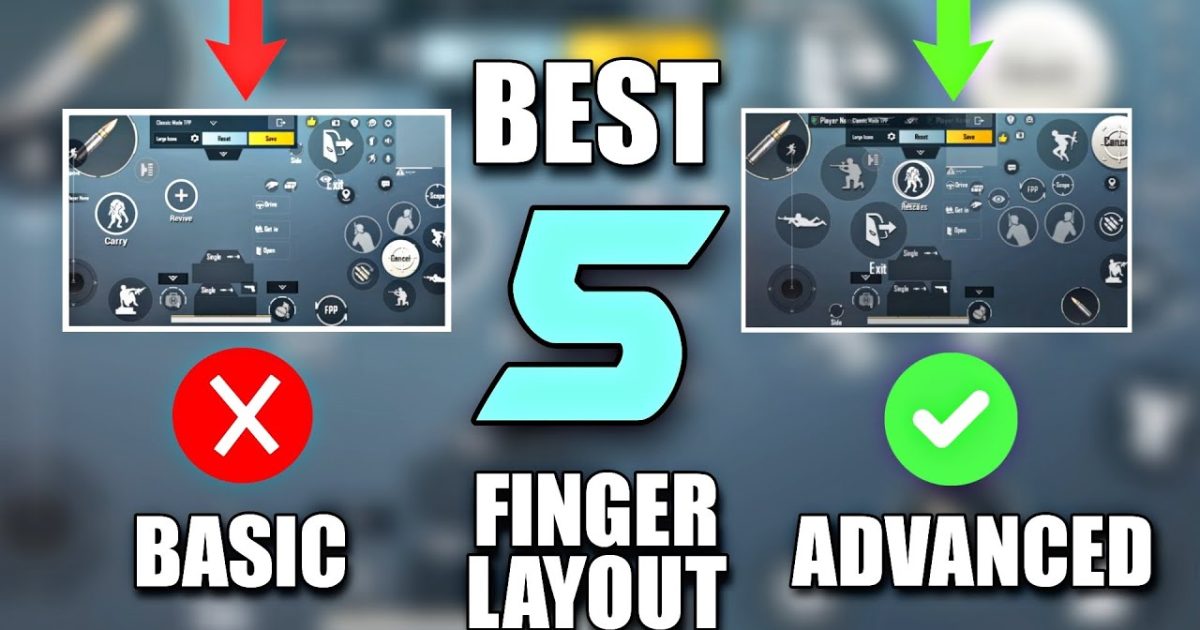
You’ve mastered the 4-finger claw. You can jiggle peek, drop shot, and spray like a demon. But there’s a ceiling – and the top 1% broke through it with a fifth finger. Adding one more digit unlocks faster movement, more buttons without clutter, and smoother recoil control. In this guide, we’ve handpicked 8 PUBG 5 finger layout codes that work on both Android and iOS. These aren’t random setups – each has been tested by pro players and refined for 2025. Whether you’re on a phone or iPad, gyro or no gyro, you’ll find a code you can copy-paste and start winning with.
1. The Classic 5 Finger Claw – Your New Main Layout
This is the default 5 finger layout used by many competitive players. It places fire, aim, scope, crouch, and lean on the top left and right corners, freeing your thumbs for movement and jump. The left index finger handles scope and crouch, while right index manages fire and lean. Your left thumb controls the joystick, right thumb controls camera and peek buttons. The result? You can scope, fire, lean, and crouch simultaneously – perfect for close-range sprays. This layout works best on phones with a 6.5-inch screen or larger. If you have a smaller device, check layout #4. To import, use the control codes copy paste method from our earlier article. Pro tip: adjust the button opacity to 50% to keep your view clean.
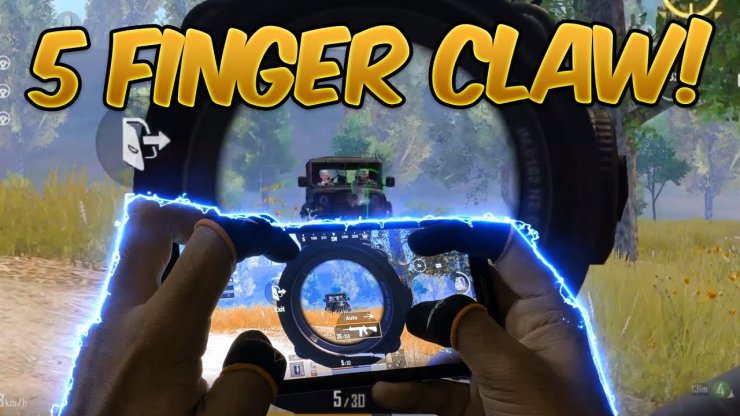
2. 5 Finger with Gyroscope – Laser Beams on Tap
Gyro users, this one’s for you. The gyroscope adds a layer of precision that makes recoil control almost effortless. In this layout, the fifth finger is used for gyro calibration – a dedicated button to toggle gyro on/off during intense fights. Place it right below the scope button so you can activate gyro while ADSing. The rest of the layout mirrors the classic claw, but with slightly larger buttons for easier tapping when your phone is tilted. If you’re new to gyro, start with a low sensitivity (200–300) and work your way up. This code is especially popular among Samsung Galaxy users – check out our control codes for Samsung if you need device-specific adjustments. With gyro, your mid-range sprays will feel sticky, and you’ll win more cross-map fights.
3. 5 Finger for iPad – Maximize Your Screen Real Estate
iPad players have a huge advantage – more screen space means you can spread buttons out without overlapping. This layout uses all five fingers efficiently: left thumb for movement, left index for scope and meds; right thumb for camera, right index for fire and lean; and either middle finger for crouch or prone. Since iPads have larger bezels, you can place fire and scope buttons near the edges. This reduces accidental taps and gives you a stable grip. Many pro iPad users also add a dedicated peek button next to the fire button for faster peeking. One downside: the layout may feel too spread out for smaller iPads like the mini. If you’re on an iPad Pro, this is your ticket to dominating. We’ve included a code that works on both 10.5 and 12.9 inch models.
4. Compact 5 Finger for Small Phones – No More Stretching
Phones under 6.2 inches can make 5 finger layouts feel cramped. This code solves that by shrinking button sizes and placing them closer to the edges. The left index finger covers scope and crouch (stacked vertically), while right index handles fire and lean (also stacked). The middle fingers can optionally handle meds or grenades. The key is reducing the button opacity to 30% and setting the joystick size to 70% to avoid blocking the screen. This layout is perfect for players who want the benefits of an extra finger without the clutter. It’s also great for defensive play – you can quickly crouch and scope under cover. For more survival-oriented setups, check out our defensive PUBG control codes article.
5. Spray Control 5 Finger – Tame the Beryl M762
The M762 is a beast, but its recoil is brutal. This layout uses the fifth finger specifically for a dedicated recoil control button – think of it as an extra analog for fine-tuning your spray. Place it on the right side where your index finger rests, and set it to either decrease sensitivity temporarily or activate a gyro jolt. Combined with the right sensitivity, you can laser enemies at 150 meters with a 6x scope. The rest of the layout is standard claw, but with the fire button moved slightly up to allow your right thumb to handle scope reset. This code is a must-try if you love the Beryl. For a full breakdown of M762 setups, see our PUBG control codes for M762 guide. Pro tip: practice in the training ground for 10 minutes before hopping into ranked.
6. Hip Fire Focused 5 Finger – Dominate Close Quarters
When enemies rush your building, you need fast hip fire without ADSing. This layout dedicates the fifth finger to a hip fire stance toggle – a button that switches your firing mode from ADS to hip fire instantly. Place it right next to the fire button so you can tap it with your right index while your thumb controls movement. The layout also moves the scope button to a less accessible spot, encouraging you to rely on hip fire more. This is ideal for shotgun and SMG users. Pair it with a high sensitivity for twitch aiming. Many players combine this with the claw control codes we’ve shared before – the same principles but with a hip fire twist. Remember, hip fire is all about crosshair placement, so keep your head up.
7. Scope Peek 5 Finger – Faster Lean, Faster Kills
Peeking is a core skill in PUBG. This layout optimizes your lean buttons for instant access. The fifth finger is assigned to a combined lean-peek function – tap to lean left, double-tap to lean right. This frees up your left thumb for movement. The setup is perfect for jiggle peeking with a DMR. Place the scope button on the left side for your left index, and keep fire on the right index. The result: you can peek, scope, and fire in under a second. This layout works best with high camera sensitivity (100–120) for quick flicks. If you’re still on a 4 finger setup and want to transition, check out our latest PUBG control codes for 4 finger – they’re a stepping stone to this advanced layout.
8. How to Import These Codes and Fine-Tune Them
All the codes above are ready to copy-paste. Open PUBG Mobile, go to Settings > Controls > Control Codes, and paste the code. Tap ‘Apply’ and you’re done. But importing isn’t the end – you’ll need to adjust button positions to fit your hand size and phone grip. Start by playing a few matches in classic mode (not training) to get a feel. Move buttons in 5% increments until your taps are muscle memory. Also, adjust your sensitivity: we recommend starting with the defaults and tweaking from there. For a step-by-step on sharing and importing, read our guide on control codes copy paste. And if you’re on a low-end phone, our best PUBG control codes for low end phones can help you maintain performance. Finally, stick with one layout for at least a week – switching too often kills consistency.
Final Thoughts – Your Fifth Finger Is a Game Changer
Moving from 4 to 5 fingers might feel awkward at first, but the payoff is huge: faster actions, smoother movement, and better recoil control. The 8 layouts we covered give you options for every device and playstyle – from compact phones to iPads, from gyro lovers to hip fire fiends. Import a code, spend a week adjusting, and watch your rank climb. Which one will you try first? Drop a comment and let us know. And if you want more pro setups, bookmark our site – we’re always updating codes for 2025.



