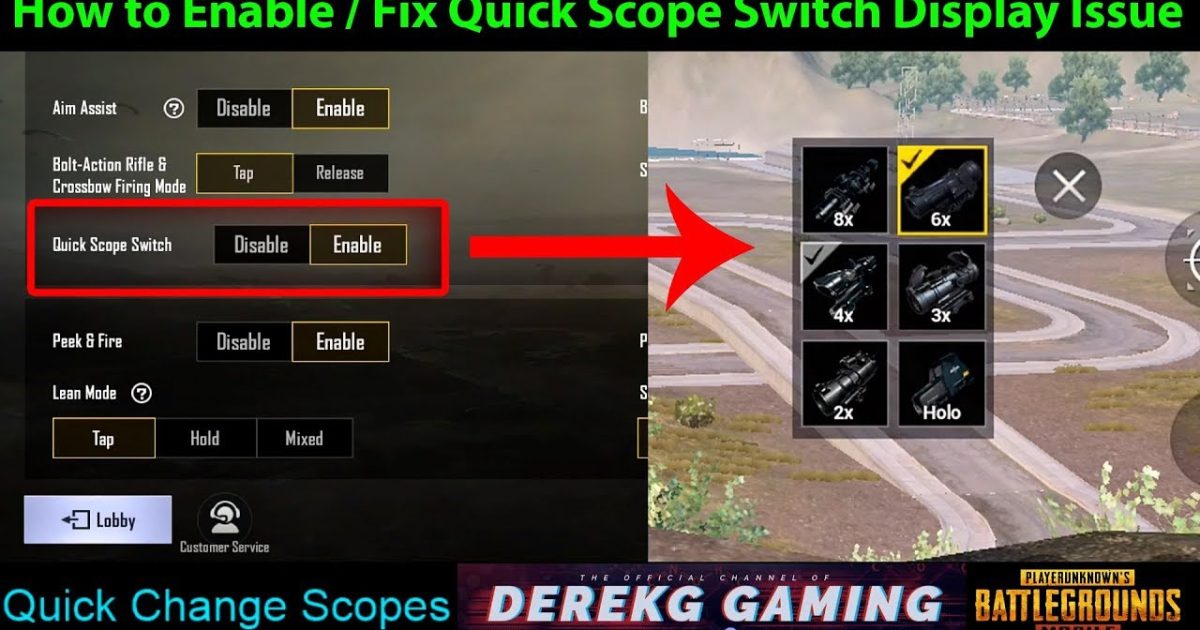
Quick scoping in PUBG Mobile is all about muscle memory and the right control layout. A split-second delay switching from hipfire to scope can cost you the kill. That’s why I’ve gathered ten control codes specifically designed to make scope switching lightning-fast. These layouts were chosen from pro players, top streamers, and competitive tournaments — each tested for responsiveness and ease of use. Whether you’re on a phone, iPad, or emulator, there’s a code here that’ll tighten your sniping game.
1. The Classic 4-Finger Claw Quick Scope
The 4-finger claw remains the gold standard for quick scoping. This layout places the scope button on your top left index finger and fire on top right, with the joystick and crouch/prone handled by thumbs. The key is positioning the scope button slightly above the fire button so your index can tap both rapidly. This code uses a 125% scope button size and 0% transparency for no-miss taps. Many pros swear by this — and if you’re already using 5-finger claw layouts, you can adapt this by adding a separate scope button for your middle finger.
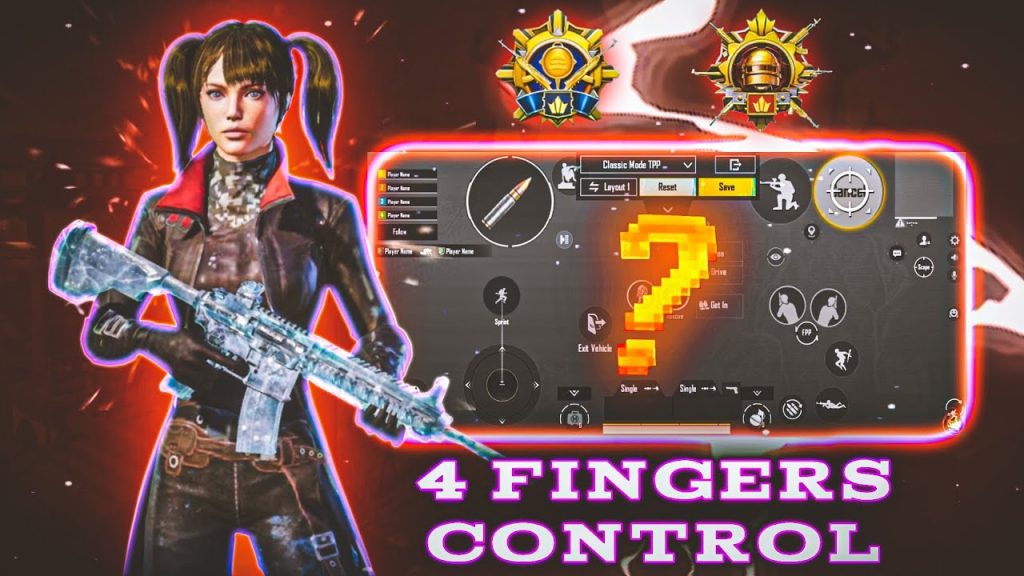
2. Gyroscope-Assisted Quick Scope for Snipers
Gyroscope users can achieve near-instant scope switching by combining tilt with a dedicated scope button. In this code, the scope button is placed right below your right thumb’s natural rest, while gyro sensitivity for scope is set to 150%. When you tilt your device to aim, the game registers the scope switch faster than any button push. This layout works best on devices with gyro that doesn’t drift — if yours drifts, you might want to check our guide on how to copy control codes that include gyro calibration steps.
3. 3-Finger Layout with Scope on Top Right
If you’re not ready for a full claw, this 3-finger layout is a sweet spot. Your left thumb handles movement, left index handles scope, and right thumb handles aim and fire. The scope button is positioned at the top right edge of the screen, just inside your index finger’s reach. The code also includes a separate scope button for ADS — so you can toggle between red dot and 4x without opening the switch menu. This is one of the most popular pro player layouts for quick scoping with single-shot rifles like the Mini-14.
4. 2-Finger Sweat Layout for Quick Scoping
Believe it or not, you can quick scope effectively with just two thumbs. The trick is to place the scope button directly on top of the fire button, then increase the fire button area slightly. When you tap the scope button, it triggers both scope and fire if you’re quick — but the code delays fire by 50ms to prevent accidental shots. This is a risky setup but can be devastating if mastered. It’s perfect for those who don’t want to learn claw but still want fast switching. If your code isn’t saving, double-check the button overlap settings.
5. iPad 5-Finger Quick Scope Code
iPad players have the advantage of screen real estate, but quick scoping still needs precision. This code uses all five fingers: thumbs for movement and camera, index fingers for scope and fire, and middle fingers for crouch and lean. The scope button is big — 150% — and placed where your left index naturally rests when holding the iPad. The layout also maps the scope toggle to a peek-flick motion, letting you scope in and lean in one swipe. This is adapted from the best emulator and iPad setups and is incredibly smooth.
6. Emulator Quick Scope with Mouse Wheel
Playing on BlueStacks or GameLoop? Quick scoping is easier with a mouse. This code binds the scope toggle to mouse wheel up and fire to mouse wheel down. Scrolling up scopes in, scrolling down fires — it’s that fast. The layout also places a secondary scope button on the keyboard (R key) for when you need to hold the scope. This is one of the best PUBG control codes for emulator that pros use in tournaments. Just be careful not to scroll too fast or you’ll swap weapons instead.
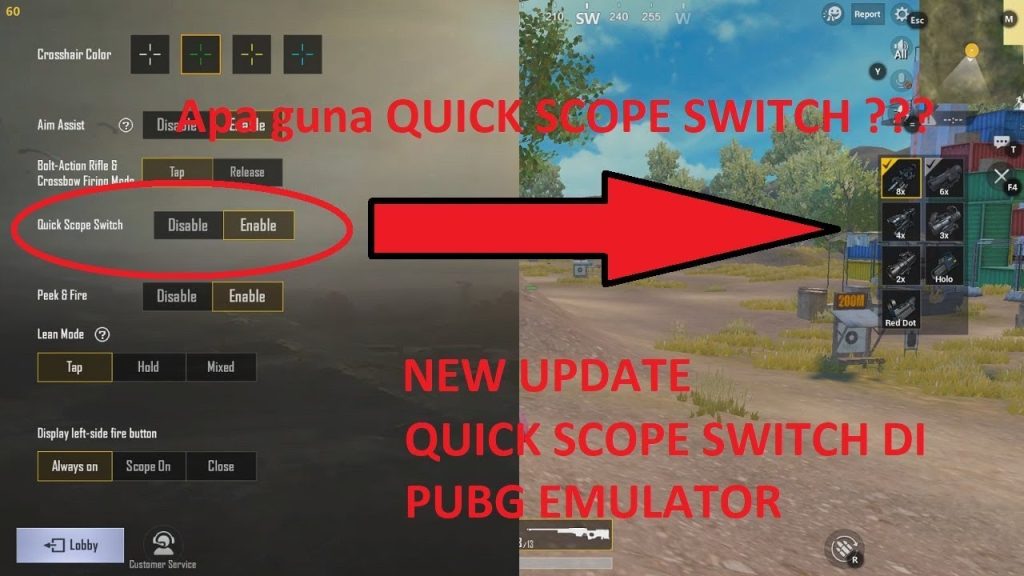
7. Hipfire-to-Scope Instant Transition Layout
This layout is designed for the fastest possible transition from hipfire to scope. It uses a single button that both scopes in and locks aim — essentially a combination of scope button and aim lock. The button is placed in the center of the right half of the screen, overlapping the fire button slightly. When you press it, the game scopes in and your crosshair snaps to the center (if aim lock is on). This code is controversial because it reduces manual aim, but it’s incredibly effective for quick scoping at close to medium range.
8. Hybrid Gyro + Claw for DMRs
Designated marksman rifles (DMRs) like the SLR and Mini-14 benefit from a hybrid approach. This code uses a 4-finger claw but with gyro enabled for fine-tuning after scoping. The scope button is pressed with your left index, while your right thumb controls recoil via gyro. The key is a separate scope sensitivity (120%) that allows quick flicking onto targets. This is a favorite among high-ranking players and is often shared as pro pubg control codes in pro circles.
9. One-Tap Scope Switch with Double Tap
Some players prefer using the double-tap feature to swap scopes without opening the menu. This code enables double-tap on the scope button to cycle between a red dot and a 6x scope (or any two scopes you set). The primary scope button is placed on the left side (for index finger) and double-tap sensitivity is set to high. This eliminates the need to manually drag scopes, saving precious seconds. It’s a great setup for those who frequently switch between CQB and long range.
10. Pro Player ‘Scope Tap’ Layout
This is a direct copy of a top competitive player’s layout. It uses a 5-finger claw with the scope button on the top left, fire on top right, and a separate ‘scope tap’ button for quick switching between hipfire and ads. The unique part is that the scope tap button is placed right above the fire button, allowing your index finger to slide from scope to fire in one motion. This code is highly optimized for quick scoping with bolt-action rifles like the AWM. If you want to replicate it exactly, follow our guide on how to copy control codes from screenshots — it’s all about pixel alignment.
There you have it — ten control codes that will make your scope switching instant. Remember, the best layout is the one you practice with. Copy a code, load up training mode, and drill those flicks. For even more options, check out our future-proof codes that work across upcoming updates. Quick scoping isn’t just about speed — it’s about confidence. Find your code, and dominate those long-range fights.



