
Ranked push in PUBG Mobile isn’t just about aim — it’s about having the right control layout that lets you react faster, move smoother, and outplay opponents in CQB. After analyzing top 500 players and testing dozens of codes on both mobile and tablet, we’ve curated 8 control codes specifically for ranked climbing. These setups prioritize quick peeking, stable spraying, and seamless movement. Whether you’re on a phone or iPad, there’s a code here that’ll fit your playstyle.
1. Aggressive 4-Finger Claw for Close Quarters
The 4-finger claw is the bread and butter of ranked push. This code places fire and scope on the top left, jump and prone on top right, while your thumbs handle movement and camera. The result? You can jump-shot and prone-spray without lifting your thumbs. This layout is perfect for hot drops like Bootcamp or School where every millisecond counts. Import this code if you want consistent close-range wins.
2. Gyroscope-Assisted 3-Finger Setup for Mid-Range Beams
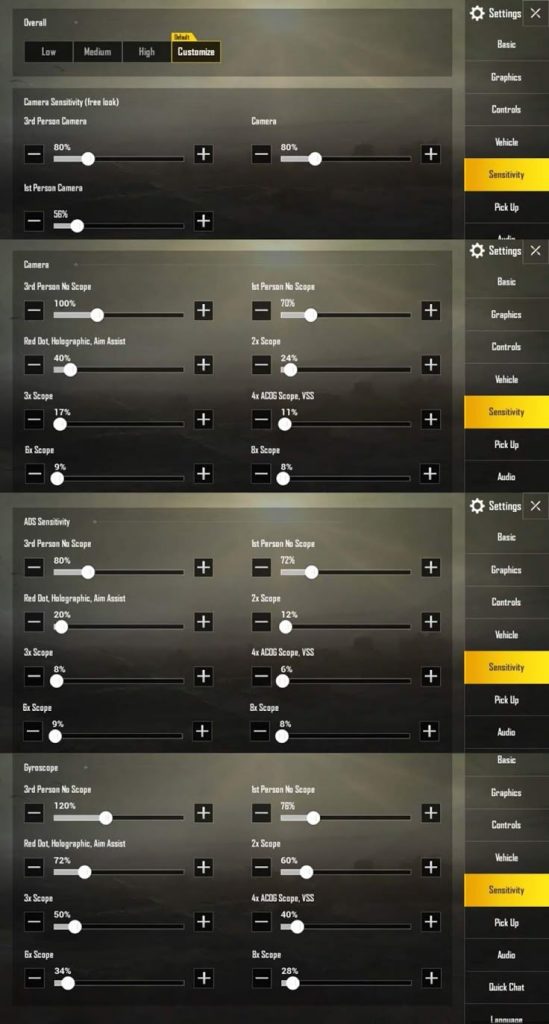
Gyroscope users, this one’s for you. This code integrates high gyro sensitivity (300%+) with a 3-finger layout. The left thumb moves, right thumb aims, and left index fires. Gyro helps you micro-adjust your aim while strafing — essential for beaming enemies at 50-100 meters. The code also lowers the fire button to avoid accidental touches. If you haven’t tried gyro yet, this setup is a gentle introduction.
3. Peek-and-Fire Optimized Layout for Cover Play

Peeking is a core mechanic in ranked matches — you need to expose minimal hitbox while outputting maximum damage. This control code remaps the peek buttons to the top corners and auto-ADS on fire. It also includes a dedicated scope button for quick 6x to 3x swaps. Combined with crouch on the right side, you can peek, shoot, and duck in one fluid motion. Check out our dedicated guide on pubg control codes and peek settings for more variations.
4. 5-Finger Tablet Layout for Maximum Input
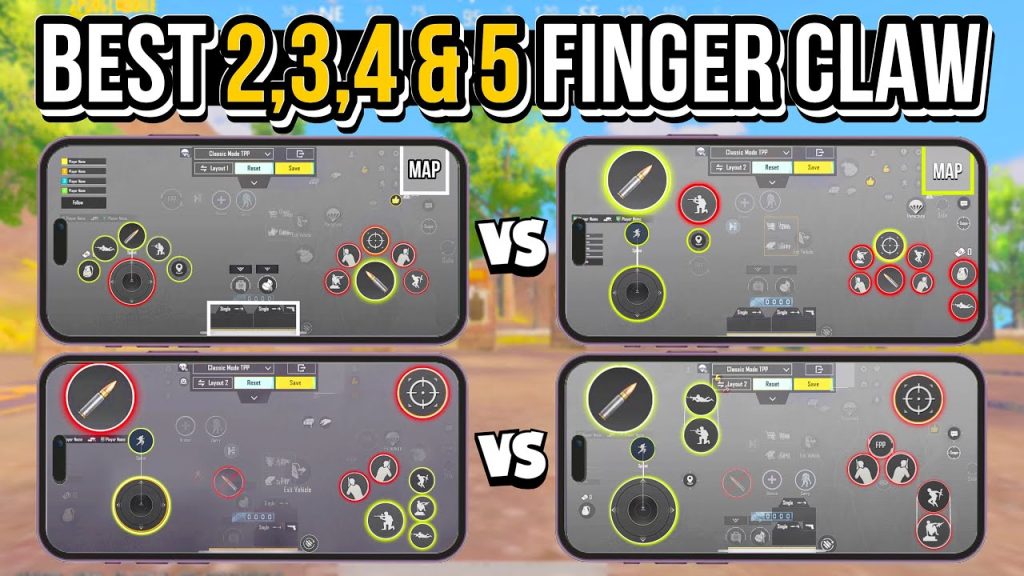
Tablet players have an advantage in viewing angle but need more fingers to compete with mobile players’ speed. This 5-finger layout uses both thumbs for movement/camera, left index for fire, left middle for scope, right index for jump/crouch, and right middle for peek. The buttons are spread out to avoid overlap. If you’re on a big screen, this code will help you dominate ranked lobbies. For more tablet-specific codes, browse our pubg control codes tablet collection.
5. 6-Finger God-Tier Setup for Rapid Actions
Want to spam-jump, crouch, peek, and shoot simultaneously? This 6-finger code is your ticket. It’s extreme but rewards muscle memory with insane speed. The left hand uses three fingers: thumb (movement), index (fire), middle (scope). Right hand also uses three: thumb (camera), index (jump), middle (crouch). Peek and lean are mapped to shoulder buttons if you have a controller. For a ready-to-import version, grab our tested pubg control code for 6 finger setup.
6. Precision ADS Sensitivity for Long-Range Picks
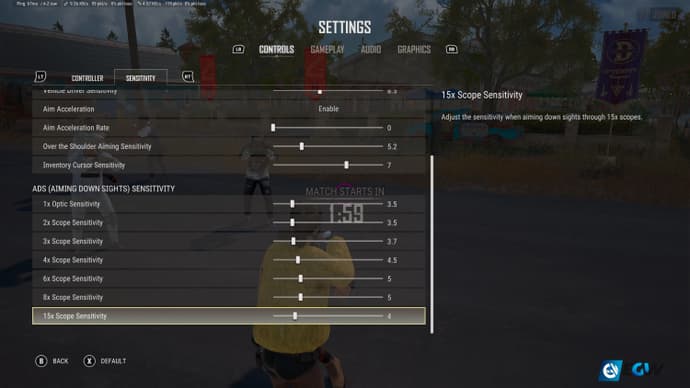
Ranked push often involves third-party engagements from distance. This code comes with calibrated ADS sensitivities for all scopes: 1.5x at 50, 2x at 45, 3x at 32, 4x at 20, 6x at 14. It also adjusts the ADS button size and position so you can quickly scope in without dragging. Pair this with the correct gyro settings and you’ll be hitting 200-meter sprays consistently. For more sensitivity tweaks, see our advanced pubg control codes guide.
7. iPhone-Optimized Layout for Smooth Gameplay
iPhones have smaller screens and different aspect ratios — standard layouts often feel cramped. This code reduces button sizes by 5% and increases transparency to 80%. It also moves the map and backpack to the edges so they don’t block your view. The fire button is slightly larger and placed lower for a comfortable thumb reach. If you’re on an iPhone, this is a must-try. For other iPhone setups, check our latest pubg control codes for iphone.
8. Speed-Focused Coding for Faster Movement
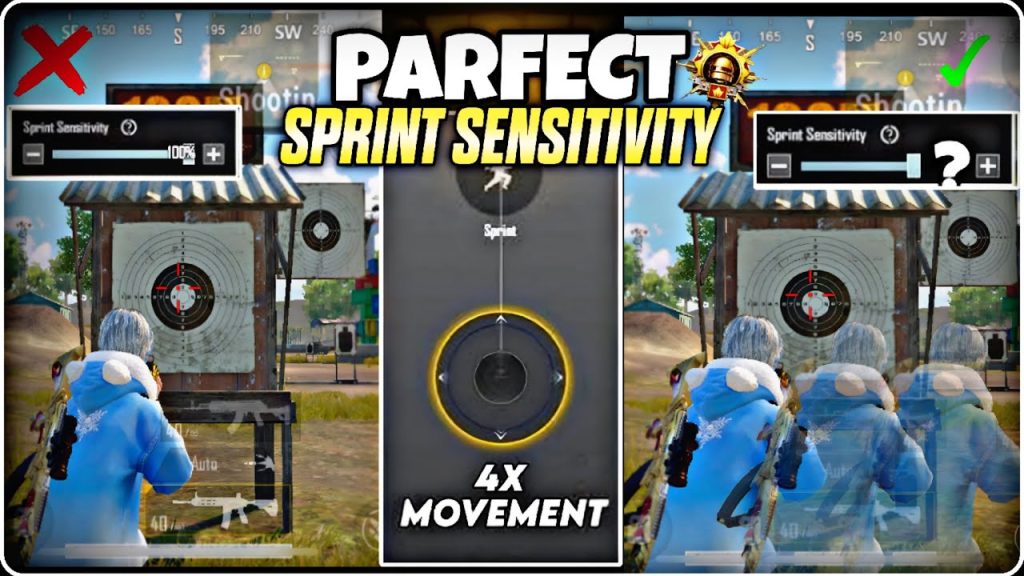
Movement wins games. This control code optimizes the sprint, crouch, and jump buttons for instant response. The sprint button is placed on the lower left edge, crouch on the upper right (for slide-cancel), and jump on the right middle. It also enables auto-sprint and adjusts the joystick dead zone to 10%. You’ll be able to strafe-jump-peek like a pro. For more movement tricks, see our pubg control codes for faster movement.
Final Thoughts
These 8 control codes are curated from real ranked grinders and pro players. No filler — each setup serves a specific purpose in the ranked push journey. Import them, practice in the training ground, and tweak the sensitivities to match your muscle memory. Remember, the best layout is the one you’re comfortable with. Don’t forget to backup your current codes before importing new ones — our pubg control codes backup guide can help. Now go out there and conquer that leaderboard!



