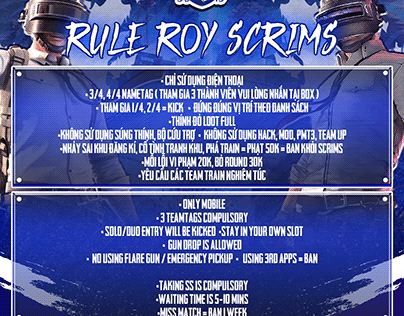
If you’re serious about PUBG Mobile and want to hang with the best in scrims, you need more than just game sense—you need the right control codes. Scrim players move faster, aim tighter, and react in milliseconds. Their layouts are finely tuned to give every finger a job. I’ve gathered the top 10 control codes used by competitive scrimmers, from claw setups to gyro configurations. These aren’t random codes; they’re battle-tested in high-pressure matches. Whether you’re on Android, iOS, or an iPad, there’s something here to upgrade your game.
1. 4-Finger Claw Layout – The Scrim Standard
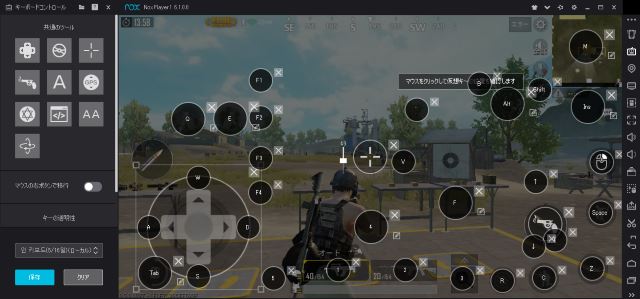
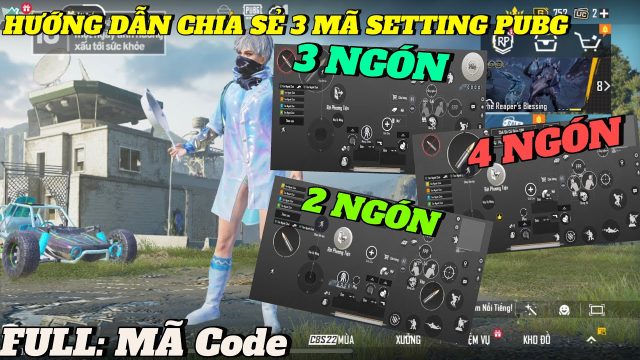
The 4-finger claw is the gold standard for scrim players. This layout uses your index fingers for aiming and shooting while your thumbs handle movement and other actions. It’s all about efficiency—no wasted motion. Top scrimmers swear by it because it allows you to peek, spray, and reposition without lifting your thumbs. If you’re new to claw, this is where you start. The code placements keep the fire button on the top left and the aim button on the top right, freeing your thumbs for jiggle peeking. Try this classic claw layout and feel the difference in your reaction time.
2. 5-Finger Claw Layout – Maximum Control
When 4 fingers aren’t enough, scrim veterans bump it up to 5. This layout adds your middle finger to handle a third action, like crouching or jumping. It’s the ultimate for close-quarters combat (CQC) because you can drop shot or jump shot without moving your other fingers. The 5-finger layout is common among professional esports players who need every edge. Expect a steeper learning curve, but once you master it, your movement becomes fluid. Check out this detailed 5-finger layout code that has been shared in scrim discords.
3. Gyroscope Aiming Layout – Pinpoint Accuracy
Gyroscope aiming is a game-changer for scrim players who want to out-snipe and out-spray. This layout maximizes gyro sensitivity for fine-tuning your aim by tilting your device. Many scrimmers use gyro for recoil control—especially with high-damage guns like the AKM and M416. The code here sets gyro to full-time, with high sensitivity for vertical spray. You’ll pair it with a 4-finger claw for best results. Once you go gyro, you won’t want to go back.
4. Hip Fire Spray Layout – Dominate Close Range
In scrims, close-range fights happen fast. Hip fire spray is your bread and butter. This control code optimizes your fire button placement and scope mode so you can instantly spray from the hip without aiming down sights. The layout also adjusts sensitivity for close-quarters spraying. Scrim players often use a combination of aim assist and high gyro for this. For even tighter spray, combine this with a dedicated spray control setup.
5. Jump and Shoot Layout – Bunny Hop Like a Pro
Jump shooting is a signature move of aggressive scrim players. This layout puts your jump button right next to your fire button so you can tap both simultaneously. It’s perfect for bunny-hopping around corners or jumping over walls while spraying. The key is thumb placement—many scrimmers use a claw variant where the index finger handles jump and the thumb handles fire. Try this jump and shoot layout code to add some air game to your arsenal.
6. Vehicle Combat Layout – Drive and Shoot Seamlessly
Scrims often involve intense vehicle fights. This layout places the drive button and shoot button within easy reach of your thumbs or index fingers. It also adjusts the vehicle control sensitivity for smoother driving. Whether you’re doing a drive-by or shooting from a moving car, this code makes it feel natural. Some scrimmers even map the horn button to a secondary finger for chaos. Don’t be the one fumbling with controls while getting shot out of a vehicle.
7. CQC Layout – Room Clearing Specialization
Close-quarters combat in buildings requires split-second decisions. This CQC layout minimizes button size and clusters actions near the center of the screen. The fire button is enlarged for easy hip-fire, and the scope button is placed near your thumb’s natural resting spot. Scrim players use this for fast peeking and jiggle shooting. Pair it with a defensive mindset—sometimes the best CQC is baiting and peeking.
8. Sniper Scope Layout – Long-Range Dominance
Not every scrim fight is up close. This layout is for the marksmen who want to land headshots from 200 meters. It adjusts scope sensitivity, aim assist, and button positions for bolt-action rifles. The fire button is placed slightly higher to reduce screen clutter, and the scope button is easier to double-tap for quick scoping. Use this with gyro for micro-adjustments. Your enemies won’t know what hit them.
9. iPad Pro Layout – Big Screen Advantage
Many top scrim players use iPads for the extra screen real estate. This layout is tailored for the iPad Pro’s 12.9-inch display. Buttons are spread out to avoid overlapping fingers, and the fire button is placed near the edge for a natural claw grip. The code also optimizes gyro sensitivity for the larger screen. If you’re on an iPad, this layout will help you leverage that size without sacrificing speed.
10. Sensitivity Codes – Fine-Tune Your Spray and Flick
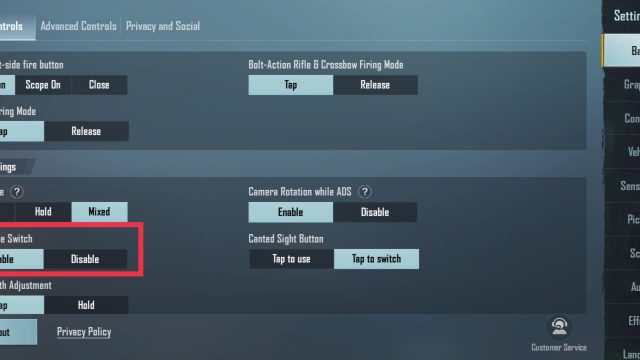
Control codes aren’t just about button placement—sensitivity is half the battle. This code bundle includes custom sensitivity settings for scrim-level gameplay: low camera sensitivity for steady sniping, high ADS sensitivity for quick flicks, and medium gyro for recoil control. These numbers come from pro scrimmers who compete in tournaments. They work best with a 4-finger or 5-finger layout. For even more advanced tweaks, explore our advanced control codes guide.
There you have it—10 control codes that scrim players actually use to dominate in PUBG Mobile. Whether you’re a claw veteran or just starting to experiment with gyro, these layouts will give you a competitive edge. Remember: the best code is one that feels comfortable. Don’t be afraid to tweak button sizes and positions to fit your grip. Now go drop into that scrim lobby with confidence.