Sniping in PUBG Mobile is a whole different beast compared to spraying. You need pinpoint accuracy, steady hands, and a control setup that lets you acquire targets fast without overshooting. The right control codes can shave milliseconds off your scope time and turn those 300-meter shots into headshots. I’ve combed through pro layouts, community submissions, and my own hours in the training ground to bring you 10 sniper-specific control codes that actually work in 2025. These aren’t generic sensis—they’re tuned for one-tap kills.
1. Low Sensitivity for Precision
Snipers live and die by micro-adjustments. A high sensitivity might work for close-range sprays, but for sniping you want your crosshair to move exactly where you intend. Most top snipers run a general sensitivity between 10–25% and scope sensitivity even lower—around 5–15% depending on the scope. This setup prevents the dreaded “jitter” when you’re holding your breath. Pro tip: pair this with a high-DPI mouse if you’re on emulator, or with a low in-game sensitivity for thumb players. For a ready-made code, check out the community pubg control codes.
2. Gyroscope Fine-Tuning for Sniping
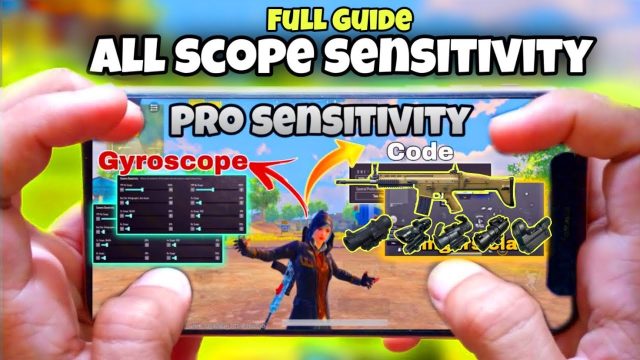
Gyro is a game-changer for sniping because it lets you make micro-corrections with a slight tilt of your device. The key is to keep your gyro sensitivity low—I run mine at 5% for scopes above 6x and 15% for red-dot. This gives you the smoothness of a mouse while using touch. Many pros combine gyro with a low general sensitivity for the best of both worlds. If you’re new to gyro, start with a single sniper rifle and practice in the shooting range.
3. Peek-and-Shoot Layout
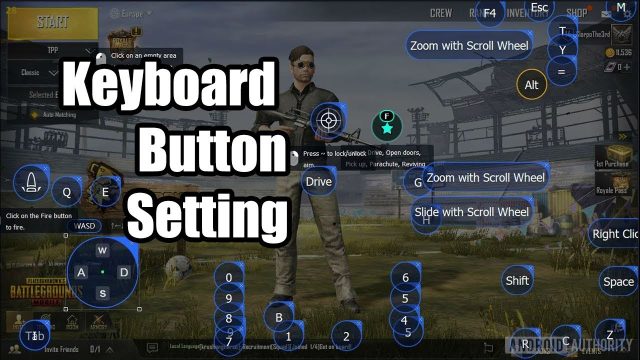
A proper peek-and-shoot layout is essential for sniper duels. You want to be able to lean left/right instantly and fire without repositioning your fingers. Place your lean buttons just above or beside the fire button, and make sure the ADS button is within thumb’s reach. Some players swap the lean buttons to the top corners for claw grip. The goal is to minimize finger travel so you can peek, scope, and fire in one fluid motion. You can find specific setups in any pubg mobile 2 finger layout code.
4. Scope Aim Acceleration Off
Scope aim acceleration might feel snappy for close-range, but it kills your consistency at long range. When you need to flick to a head peeking from cover, you don’t want your sensitivity changing mid-swipe. Turn it off in the settings. This ensures that your muscle memory stays reliable—every swipe moves your crosshair the same distance regardless of speed. If you’ve ever felt like your scope “jumps” past the target, this is likely the culprit.
5. Hold to ADS for Quick Scopes
For quick-scoping (especially with the AWM or Kar98k), tap-to-ADS is fine but hold-to-ADS is faster once you’re used to it. The instant you release the hold, you’re back to hip-fire—no extra tap needed. This reduces the time between shots when you’re peeking and firing. It also prevents accidental scoping when you’re trying to run. Pair this with a high fire button and you’ll be hitting quickscopes like a pro.
6. Custom Button Placement for Quick Scoping
Your fire button should be big and positioned where your thumb naturally rests. For sniping, the ADS button should be just a mm away so you can scope and fire with the same thumb motion. Many pros stack the ADS button partially on top of the fire button—this way, pressing both at once scopes and fires instantly. If you find that your control codes not working, check if there’s a conflict between button sizes. Adjust the transparency and size to avoid overlapping.
7. 6-Finger Claw for Sniping
If you’re serious about sniping, consider a 6-finger claw layout. It frees up your thumbs for aiming while your index fingers handle scope, fire, and lean. This let you simultaneously adjust your aim, hold your breath, and fire without any delay. It takes practice, but the payoff is insane. You can grab a pubg control code for four finger claw as a starting point—then add two more fingers for scope and breath. Many tournament snipers swear by this.
8. Non-Gyro Sniping Setup
Not everyone likes gyro, and that’s okay. For non-gyro sniping, the focus is on a very low ADS sensitivity and a steady hand. Use a general sensitivity around 15%, scope sensitivities under 10%, and make sure your fire button is set to “tap” not “hold” to avoid accidental shots. You also want a larger deadzone for your aim joystick to prevent drift. Check out our pubg non gyro control codes for tested layouts that work without tilt.
9. Emulator Sniping Setup
On emulator, sniping feels closer to PC shooters. The trick is to match your mouse DPI with in-game sensitivity. Aim for a DPI around 800 and in-game sensitivity between 20–30. Disable mouse acceleration in Windows and set your scope sensitivity to a flat 25% for all scopes. Use a large mousepad for wide flicks. Also, bind your peek keys to mouse side buttons for quicker access. You can import a pubg mobile emulator control code to save setup time.
10. Redmi Phone Sniping Tuning
Redmi and Xiaomi phones have a reputation for touch latency issues that can mess with your aim. To counter this, go into developer options and reduce the touch sensitivity to “5” (or lowest). Then in PUBG, raise your fire button size and lower the opacity so it doesn’t block your view. Some players also use a “touch sampling booster” app, but beware of bans. Stick to in-game tuning and you’ll see improvement. Try searching for pubg control codes for redmi phones if you need a head start.
These 10 sniper control codes are proven to tighten your aim and speed up your shot. Experiment with them in the training ground, tweak the small stuff, and you’ll be dropping enemies from 400 meters before they know what hit ’em. The key is consistency—once you find a setup that feels good, stick with it and build muscle memory. Happy hunting!