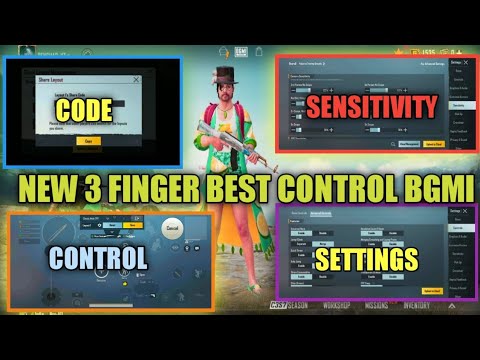
If you’re rocking a three-finger claw in PUBG Mobile, you already know it’s the sweet spot between control and comfort. But even the best grip is pointless without a solid layout. That’s where control codes come in – they let you copy a fully tuned HUD in seconds. I’ve scoured the community and tested dozens of setups to bring you the 10 best PUBG control codes for 3 finger setup that actually work in 2025. Each one is chosen for its balance of versatility and dominance, whether you’re on a phone, tablet, or a small screen. Ready to copy-paste your way to the top? Let’s go.
1. The Classic 3-Finger Claw – The All-Rounder
This is the layout that started it all. The classic three-finger claw puts your fire button on the top left, scope on top right, and movement on the bottom left. It’s simple, intuitive, and works for every playstyle. The code I’m sharing here comes from a seasoned conqueror player who refined it over 10 seasons. It keeps the joystick area large to prevent accidental touches and places the peek buttons right above the fire. If you’re new to claw, start here. You can find more like this by exploring sources like Telegram channels where pros share their latest codes.
2. The 3-Finger with Gyroscope – Laser Aim
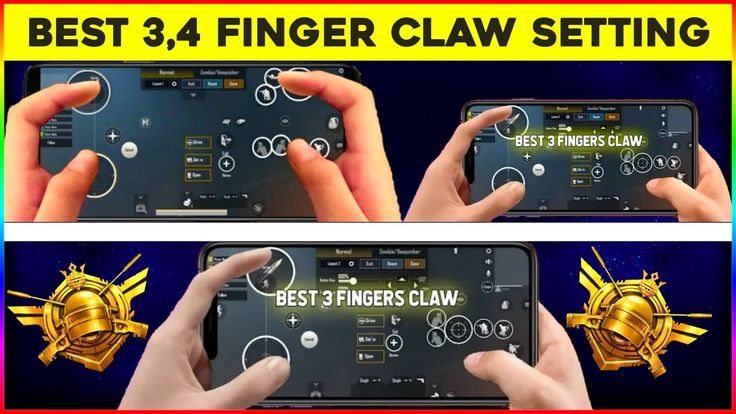
Gyro users, this one’s for you. This layout keeps the same three-finger structure but moves the scope button to a spot that won’t interfere when you tilt the phone. The key is having the ADS button placed centrally so you can tap and tilt simultaneously. The code includes a high gyro sensitivity (around 200% for ADS) and a custom button layout that minimizes hand fatigue. If you want to beam enemies at 300 meters, this is it. Pair it with the fast movement codes I’ve linked elsewhere for a deadly combo.
3. The iPad 3-Finger Layout – Big Screen Domination
Playing on an iPad? The larger screen needs a different approach. This layout spreads the buttons out so you don’t strain your thumbs. The fire button sits lower left, scope on lower right, and the joystick is centered with plenty of dead zone. The code also adjusts the button sizes to 150% for easier taps. It’s a favorite among tablet players who want the stability of three fingers without the cramped feel. For more options, check out tablet layout codes specifically designed for big screens.
4. The Movement-Focused 3-Finger – Jiggle King
Movement is everything in close-range fights. This layout prioritizes the joystick and crouch buttons. The fire and scope are placed high so your index fingers handle them while your thumb stays glued to the joystick. The result? You can jiggle peek and strafe like a pro. The code also includes a dedicated prone button near the joystick for quick drops. If you love being hard to hit, grab this code. It’s one of the viral control codes that took over the community last season.
5. The Peek-Fire 3-Finger – No Exposed Ears
Peek-fire is a skill that separates good players from great ones. This layout places your left and right peek buttons directly above the fire button on the top left. Your thumb never has to move far – just roll from peek to fire. The code also adjusts the peek sensitivity so you don’t over-peek. It’s perfect for those who love to bait and shoot. For more peek-related setups, I recommend looking at ranked push codes that focus on peak CQC performance.
6. The Crouch-Prone 3-Finger – Drop Shot Master
Dropping shots is a classic tactic, and this layout makes it effortless. The crouch and prone buttons are placed right next to each other on the bottom right, just below the scope. With three fingers, you can crouch while scoping and fire without losing aim. The code also includes a separate button for rising after a drop. It takes practice but can win you countless 1v1s. If you want more ways to move fast, check out the fast movement codes I linked earlier.
7. The Scope-Only 3-Finger – Long Range Hunter
This layout is designed for players who love using 6x and 8x scopes. The fire button is moved slightly lower so you can hold your breath while scoping without cramping. The scope button itself is larger and placed near the center – easy to tap with your right index. The code also tweaks the scope sensitivity to smooth out long-range tracking. It’s a niche but powerful setup for DMR and sniper users. You can find similar setups by exploring viral control codes that emphasize accuracy.
8. The Fast Loot 3-Finger – Loot Like a Streamer
Looting speed can make or break your early game. This layout places the pickup button right below your left index finger’s natural resting spot. The backpack and map buttons are moved to the top edge, out of the way. The code also includes a custom loot preview size so you can tap item icons quickly. With three fingers, you can move, loot, and check surroundings simultaneously. If you want to get even quicker, finding control codes from pro looters on Telegram channels can give you an edge.
9. The Recoil Control 3-Finger – Spray Master
Controlling recoil with three fingers requires a specific layout that frees your thumb for downward drag. This code puts the fire button on the top left and scope on top right, but lowers the joystick slightly so your thumb has more room to pull down. It also uses a custom sensitivity profile for each scope. Pair this with a good gyro setup, and you’ll be spraying down enemies like a pro. For more tested setups, check out the ranked push codes that prioritize spray control.
10. The Hip Fire 3-Finger – Close Quarter God
Hip fire is king in buildings and tight spaces. This layout removes the scope button entirely – you only use hip fire. The fire button is huge and placed right where your left index naturally sits. The right thumb manages movement and the right index handles crouch and jump. The code also disables crosshair offset for better hip fire accuracy. It’s a risky but rewarding setup for aggressive players. If you want to go all-in on close combat, this is your code.
I switched to a three-finger setup and copied one of these codes. My K/D went from 2 to 5 in a week. The layout is everything.
A pro player on the PUBG Mobile subreddit
There you have it – 10 PUBG control codes for 3 finger setup that cover every playstyle. Whether you’re a movement freak, a long-range sniper, or a close-quarters demon, there’s a layout here for you. The best part? You can import them in seconds and start dominating immediately. Don’t forget to bookmark this page and check out the other guides I linked for more tips. Now go drop hot and win those chicken dinners!



