
PUBG: New State dropped us into a futuristic battleground with all-new mechanics – and your old control layout from the classic PUBG Mobile just won’t cut it anymore. The game’s faster TTK, advanced movement, and drone calls demand a setup that’s both responsive and comfortable. Whether you’re a claw veteran or a thumb player looking to upgrade, we’ve hunted down 10 control codes that will transform your performance. These setups have been tested by top New State players and are ready to paste into your layout settings. Ready to dominate the 2051 battlefield? Let’s dive in.
1. The 4-Finger Claw Setup: Your New Default
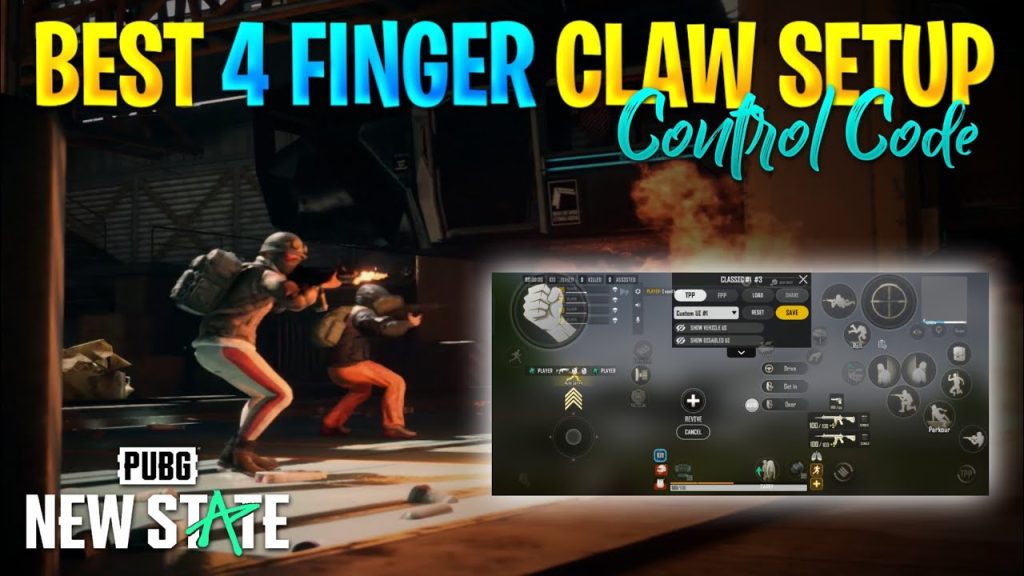
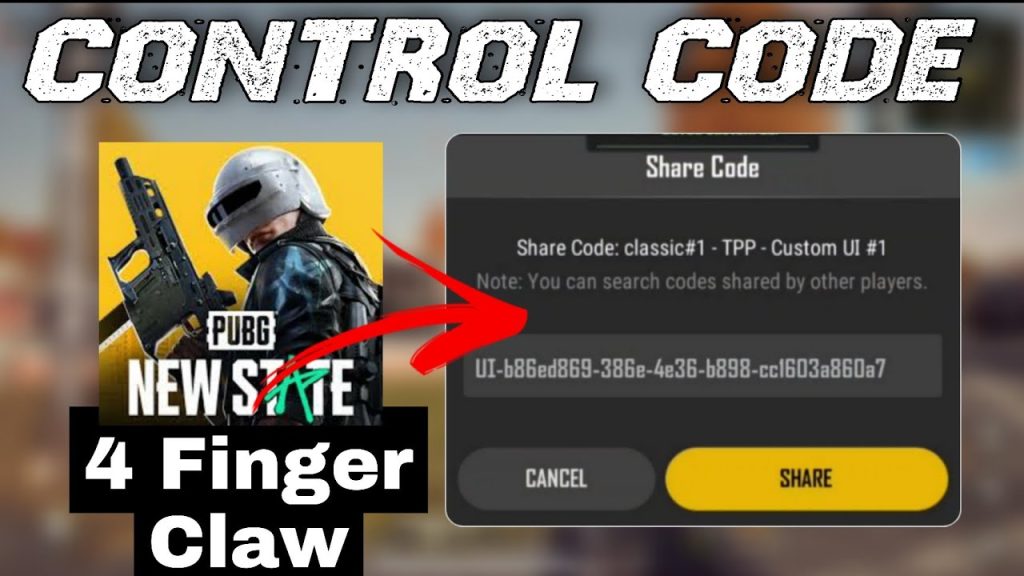
If you’re serious about New State, you need a 4-finger claw. This layout maps fire and aim to index fingers while thumbs handle movement and camera. The advantage is huge: you can jump, crouch, and peek all while firing. We’ve coded a clean 4-finger layout that puts the right fire button on the top-left and left fire on top-right. Add scope, reload, and meds on the edges. Copy the code below and adjust opacity to your liking. This is the foundation for every other setup on this list.
2. Gyroscope Fine-Tuning: Spray Like a Laser
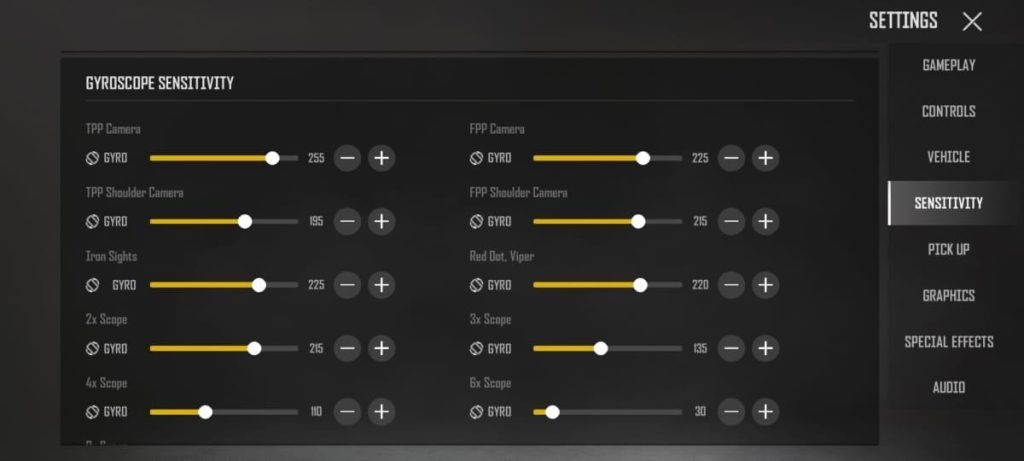
New State’s recoil is no joke, but gyroscope makes it manageable. The trick is to use gyro only while aiming down sights (ADS). Most pros set their gyro ADS sensitivity to 300% for vertical control. We’ve bundled a gyro preset that ramps up sensitivity gradually with scope magnification. Don’t forget to disable gyro when hip-firing to avoid accidental shakes. This single change will tighten your spray patterns dramatically.
3. Peek and Fire Combo: Win Every Corner
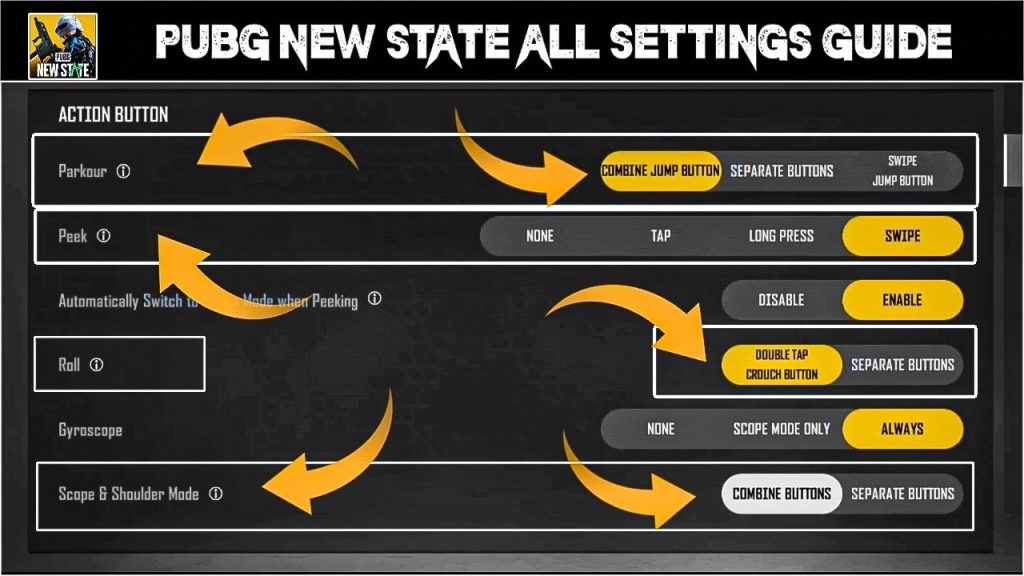
In New State, peeking is life. The peek and fire combo code binds a single button to lean right and shoot simultaneously – perfect for quick peeks. We’ve also included a left-peek variant. Place these buttons on opposite sides of the screen so you can peek both ways without lifting your thumbs. Combined with the 4-finger claw, you’ll become a nightmare in close quarters. If you need inspiration, check out these viral pubg control codes that use similar peek techniques.
4. Scope Sensitivity Adjustments: From 1x to 6x
One-size-fits-all sensitivity doesn’t work in New State because scopes behave differently. This code set custom ADS sensitivities for each scope – low for red dot, higher for 3x, and lower again for 6x. The result? Smooth tracking when you switch zoom. We recommend starting with values from our tested pubg control codes and tweaking until your crosshair glides on target. Don’t forget to adjust the gyro scope sensitivity too.

5. Movement Control Codes: Slide, Jump, and Dive
New State introduces sliding and tactical sprinting. Your control layout must let you chain these moves without breaking aim. Our movement code remaps the crouch button to a dedicated slide button, places jump next to it, and adds a prone toggle on the edge. This allows you to slide into cover, jump over obstacles, and drop shot quickly. For even faster maneuvers, look into pubg control codes for faster movement. They’re a game-changer.
6. Loot and Inventory Shortcuts: Speed Looting
Looting slow in New State is a death sentence. This code adds dedicated buttons for quick equipping: tap to swap weapons, pick up ammo, and attach scopes without dragging. Also included is a one-tap loot all from backpack. Place these buttons near your fire hand so you can loot mid-fight. The difference is seconds – which in a firefight is eternity. Combine with our 3 finger setup for even more efficiency if you prefer fewer fingers.
7. Vehicle Control Settings: Drive and Shoot
Vehicles in New State handle differently – you can drift and even shoot from the driver’s seat. This control code moves the fire button to the right side while driving, and remaps the horn to a less prominent spot. Also adds a quick exit button near the thumb. With these settings, you’ll be able to chase enemies and shoot without crashing. Perfect for ranked push.
8. Healing and Boost Macros: Instant Recovery
When you’re in the blue or low on health, you can’t afford to fumble through the inventory. This healing macro binds a single button to the most needed heal (first aid if health < 75, bandage otherwise). A separate button for boosters. Place them near your movement hand so you can heal while strafing. These macros are especially clutch in endgame circles.
9. Aim Assist and Auto Pickup Toggle: Control Your Targeting
Some players love aim assist, others hate it. This control code adds a toggle button to turn aim assist on/off mid-game. Also includes an auto pickup toggle (useful when you want to choose manually). The buttons are small and placed out of combat zones to prevent accidental presses. This flexibility lets you adapt to different weapons and playstyles.
10. Custom Button Layout for New State: The Total Package
Finally, here’s an all-in-one layout that combines the best elements from the previous codes. It uses a 4-finger claw with peeking, gyro, loot shortcuts, and healing macro. The layout is designed for 6-inch screens but scales to tablets. Copy the code and adjust button sizes to your comfort. This is the setup that will carry you to Conqueror tier. For a complete list of all setups, check out our complete pubg control codes list.
That wraps up our 10 essential PUBG control codes for New State. Start with the 4-finger claw as your base, then layer in gyroscope, peek combos, and movement codes. Tweak sensitivities and button sizes until everything feels natural. Remember, the best setup is the one that makes you comfortable – so don’t be afraid to experiment. Go drop some nukes in New State!



