Long-range fights in PUBG Mobile can be brutal. One missed shot and you’re giving away your position, or worse, getting third-partied. The secret isn’t just good aim—it’s having a control layout that lets you stay steady while tracking a moving target at 200+ meters. Whether you’re sniping with an AWM or spraying with a 6x on your M416, the right control code makes all the difference. I’ve tested dozens of layouts from pro players and scrim highlights, filtering out the ones that actually work for people with regular thumbs. These 8 picks cover everything from 4-finger claw setups to gyro-assisted sniper builds. If you haven’t set up your controls yet, check out this guide on how to import pubg mobile control codes so you can copy these exactly.
1. 4-Finger Claw Long-Range Spray (M416 + 6x on Single)
This is my go-to for mid-to-long range sprays. The key is binding your scope button to your left index finger, so you can ADS and fire without shifting your grip. The right thumb handles the trigger while the left thumb controls movement. I’ve reduced the fire button size to 40% and placed it right above the right stick—keeps your spray tight even when you’re strafing. Use a 6x scope scaled down to 3x for a clean sight picture. This layout works best with a vertical grip and compensator. If you’ve ever reset your settings, grab the pubg control codes after sensitivity reset to get my exact numbers.
2. Gyro-Assisted Sniper Layout (AWM + 8x)
Gyroscope users, this one’s for you. Instead of relying on finger drag for fine aim adjustments, let your device’s tilt do the work. I place the scope button on the left side (left thumb) and the fire button on the right side (right thumb), with gyro sensitivity set to 300% for sniping. The magic happens when you combine a small dead zone with high gyro—micro-adjustments become effortless. I also map a separate “gyro toggle” button on the upper right corner for quick activation. Pro tip: always hold your breath (scope button) before firing—gyro drift is minimized. For more gyro setups, check out these pubg control codes with gyro sensitivity.
3. 6-Finger Claw for Drag Sniping (Kar98k + 6x)
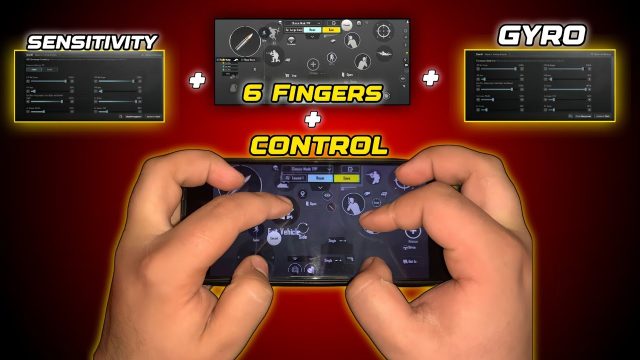
Drag sniping is all about muscle memory, but a good HUD makes it consistent. I use a 6-finger claw that puts the scope button on the left middle finger, fire on the right middle, and a dedicated drag-peek button on the left index. The extra fingers mean you can hold breath, adjust scope, and lean simultaneously. I set the joystick to 140% size and place the peek buttons on the upper left and right corners. This layout shines with bolt-action rifles—practice the drag flick in training grounds. If you’re new to six-finger, start with a pubg control code for six finger claw to build the habit.
4. Non-Gyro 4x Spray Control (M762 + Angled Grip)
Spraying with a 4x scope at 100+ meters is notoriously tricky, especially without gyro. The fix? A control code that separates ADS and fire into two distinct finger zones. I map the 4x scope button to the left index, fire to the right thumb, and add a small “pull-down” area on the right side of the screen for recoil compensation. The pull-down zone is a transparent button that gradually lowers your aim as you spray. Works like magic with the M762—just remember to tap the trigger, not hold. If you prefer non-gyro, these pubg non gyro control codes are a solid alternative.
5. Long-Range Spray with 3x Scope (Scar-L + Light Grip)
The 3x scope is underrated for long-range because it balances zoom and recoil control. I designed a layout that places the scope button exactly where your left thumb naturally rests—no reaching. The fire button is on the right side, slightly larger than default, and I added a “gyro scope” button that activates gyro only when scoped in. This keeps your hip-fire settings normal while giving you sniper-level stability at range. For the Scar-L, use a light grip to minimize horizontal sway. If you want smooth aim, check out these pubg control codes for smooth aim that pair perfectly with this setup.
6. iPad 5-Finger Claw for 8x Stability (Mini14 + Compensator)
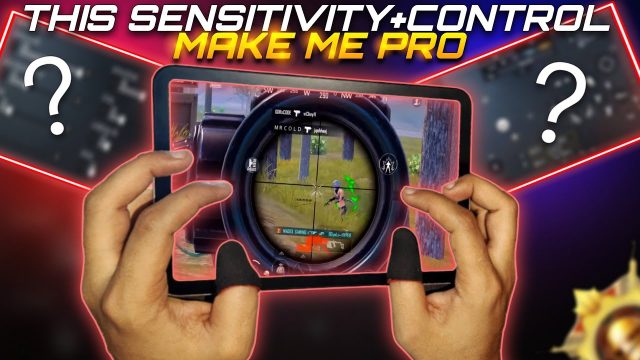
iPad players have the advantage of screen real estate, but a messy HUD ruins it. This layout uses 5 fingers: left index for scope, left middle for scope zoom, right index for fire, right middle for peek, and left thumb for movement. I place the 8x scope button on the upper left corner and the fire button on the lower right with a 30% opacity overlay. The key is to keep all buttons in the corners so your fingers don’t block the view. Use a DMR like the Mini14 with a compensator to control vertical recoil. For more iPad-specific codes, browse pubg control codes ipad.
7. Custom Long-Range Layout for High Ping (SLR + 6x)
High ping players often struggle with delayed shots. To compensate, I built a control code with a larger fire button (50% size) and a “pre-fire” toggle that simulates a click before the actual input registers. The scope button is moved closer to the center to reduce drag distance—crucial when you have 150+ ms latency. I also disable the “hold to scope” feature and use tap to ADS. This layout pairs well with the SLR because its fast fire rate lets you correct missed shots quickly. If you’re on the Middle East server, try these pubg control codes for middle east server after adjusting your sensitivity.
8. Universal Long-Range Setup (SKS + 4x with Gyro)
Can’t decide between sniping and spraying? This hybrid layout does both. I use a 4x scope on the SKS with gyro enabled only when scoped. The fire button is split—tap for single shot, hold for auto (if you mod the SKS to full-auto). The scope button is on the left index finger, and I added a “gyro reset” button that quickly returns your aim to center. This setup requires a bit of practice but gives you insane flexibility. Start by copying the code, then tweak the gyro sensitivity in training grounds. For a quick start, grab a pubg control code for tdm setup to test the feel in a fast-paced environment.
There you go—eight control codes that cover every long-range scenario. The best part is you can mix and match elements from each layout to build your own perfect HUD. Remember, no code works without practice, so spend 10 minutes in the training ground before hopping into a classic match. And if you ever lose your settings, you can always find your pubg control codes restore guide to bring them back. Drop a comment below with your favorite long-range code—I’m always looking to test new ones.