Recoil control is the single biggest skill gap in PUBG Mobile. You can have god-tier reaction time, but if your spray is all over the place, you’re losing those mid-range fights. The good news? Your control code — that perfect blend of sensitivity, gyro, ADS settings, and button layout — is the secret weapon. After analyzing layouts from top-tier streamers and competitive players, we’ve curated 10 control codes that specifically target recoil control. Whether you’re a claw player, gyro master, or thumb expert, these settings will turn your M416 into a laser.
1. Start with the Gyro Foundation
Every pro knows gyro is king for fine-tuning recoil. If you haven’t enabled full gyroscope, you’re missing out. Set your gyro sensitivity to 300% for both third-person and first-person. This allows micro-adjustments that keep your crosshair on target during long sprays. For a deeper dive, check out our dedicated gyro settings.
2. ADS Sensitivity for Each Scope
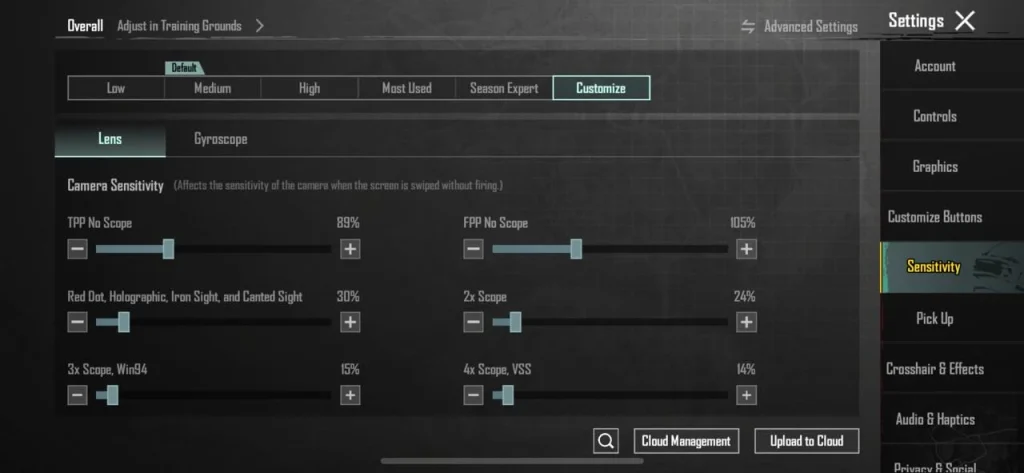
One size doesn’t fit all for ADS. Use separate sensitivity per scope: 40% for red dot/holo, 35% for 2x, 30% for 3x, 25% for 4x, and 20% for 6x. This ensures you don’t overcompensate at higher zoom. Our ADS settings guide has the exact numbers.
3. Camera Sensitivity for Movement
Recoil isn’t just vertical — horizontal drift kills sprays. Keep camera sensitivity at 60–70% for third-person and 40% for first-person. This allows smooth tracking while maintaining spray control. Pair it with a 4-finger claw layout for maximum control.
4. The M416 Zero-Recoil Layout
The M416 is the most popular gun because it’s versatile. Use a custom layout with the fire button on top-left, scope button on top-right, and gyro for recoil. Set vertical sensitivity multiplier to 0.8 and horizontal to 1.0. Save it as a code and share with friends.
5. Gyro ADS Sensitivity Tuning
Fine-tune gyro ADS sensitivity separately. For example, set 2x gyro ADS to 100%, 3x to 80%, 4x to 60%. This prevents over-aiming at range. Many pros use 300% general gyro but lower ADS gyro to maintain precision.
6. Button Placement for Recoil Control
Where you place your fire button matters. Keep it low on the screen so your thumb naturally pulls down during spray. Use a transparent fire button to avoid obstructing view. Combine with a jiggle movement code for unplayable movement.
7. DPI and Sensitivity on Emulator
If you’re on BlueStacks, DPI is crucial. Use 800 DPI with 40 in-game sensitivity. Adjust the multiplier to match your mouse. This gives consistent recoil control across different mice.
8. Aim Training in the Range
No control code works without practice. Spend 15 minutes daily in the training ground spraying at the 100m target. Focus on maintaining a tight group. Track your progress with codes optimized for the M416.
9. Post-Update Adjustments
After each major update, recoil patterns shift. Always test your code in the range before jumping into ranked. Our post-update control codes list is updated regularly to reflect the latest changes.
10. Pro Player and Device-Specific Presets
Top esports players share their codes. Look for layouts from BGMI pros like Shadow or Scout. For tablet players, our tablet control codes offer larger button spacing to reduce shake. If you play with 6 fingers, try the 6 finger claw layouts for maximum control. Our competitive pro player control codes roundup has the best ones.
Mastering recoil control is a journey, not a quick fix. But these 10 control codes give you a massive head start. Pick the one that matches your playstyle, tweak it in the range, and watch your spray tighten up. Remember, consistency beats flash — so stick with a code until it becomes muscle memory. Now go laser those enemies!



