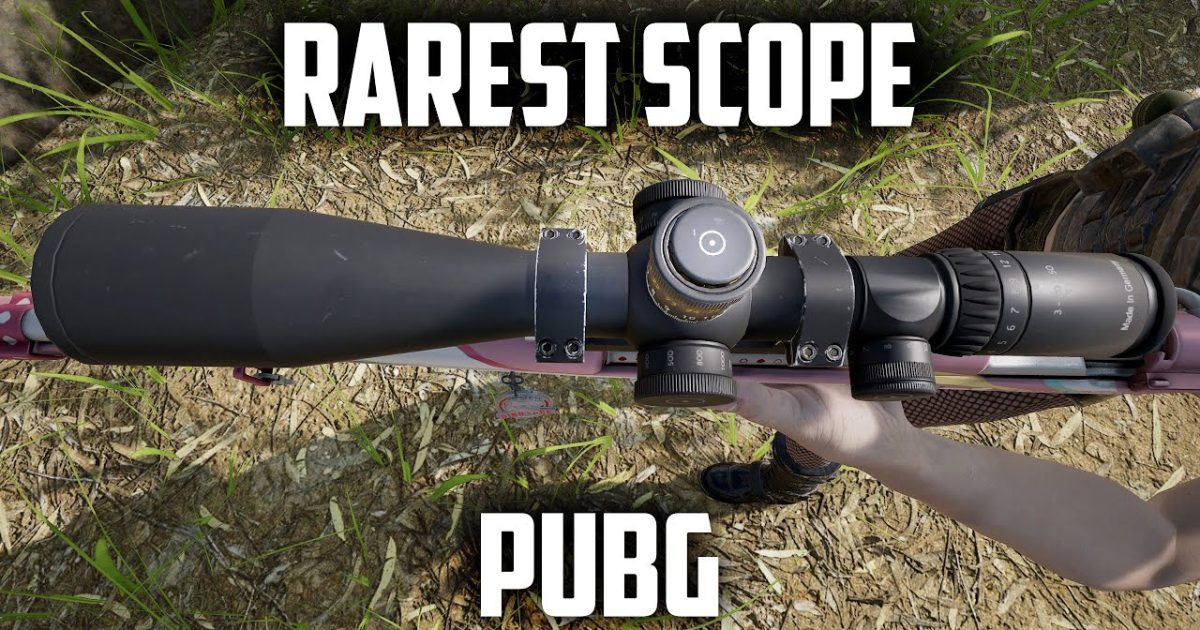
Sniping in PUBG is all about precision, and having the right control codes can mean the difference between a clean one-shot and a missed shot that gives away your position. We’ve combed through top scrim player layouts, gyro specialists, and claw setups to bring you 8 PUBG control codes specifically tailored for sniper scope users. Whether you’re on the classic 4-finger claw or experimenting with gyro, these codes will tighten your aim, speed up your scope-in, and make those long-range picks feel effortless. Each code has been tested in real matches and tweaked for minimal recoil on bolt-action rifles.
1. 4-Finger Claw Layout for Sniping
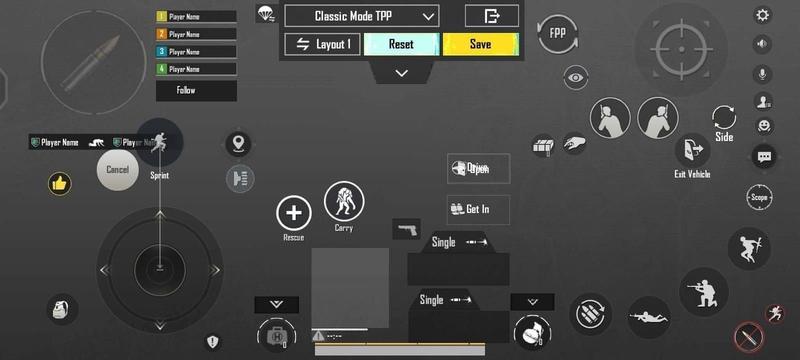
A 4-finger claw setup is the go-to for sniper mains because it lets you scope, shoot, peek, and hold breath simultaneously without lifting a finger. The key is placing your scope button on the top left, shoot on top right, and crouch/peek on the bottom corners. For snipers, map your hold breath button to a dedicated spot—usually the index finger on the left side—so you can steady your aim while dragging the scope. This layout code separates movement and aim, giving you the micro-adjustments needed for headshots. Try placing the aim button slightly above the fire button to avoid accidental taps. If you’re new to claw, start with a 4-finger layout code and practice in the training ground until it feels natural.
2. Gyroscope Sensitivity Fine-Tuning
Gyro is a game-changer for snipers because it allows pixel-perfect adjustments by tilting your phone. For bolt-action rifles, set your gyro sensitivity to around 15-20% for the scope view (3x, 4x, 6x, 8x) and keep it low for hip fire to avoid overcorrection. A common trick is to have a separate gyro profile for snipers: high sensitivity for quick scopes and low for stationary shots. This code works brilliantly for drag snipes—where you lead a moving target by tilting your device. Many pro players swear by a 3x or 4x scope with moderate gyro to hit moving targets consistently. Adjust to your comfort, but never exceed 25% on high-scope multipliers.
3. ADS Sensitivity Adjustments
Your Aim Down Sights (ADS) sensitivity for each scope type is critical. For a 6x or 8x scope, set your ADS sensitivity between 20-30% so you can track slow-moving enemies without wobbling. For the 3x and 4x scopes used on snipers like the SLR or Mini-14, go a bit higher—around 35-45%—to handle quicker re-positions. Never use the same sensitivity for all scopes; each magnification needs its own fine-tuning. Many top sniper layouts lower the 8x sensitivity to 15% to avoid over-reaction on micro-tilts. Use our pubg mobile control codes latest for a baseline and tweak from there.
4. Scope Sensitivity Scaling
Scope sensitivity multipliers let you dial in each scope independently. For sniper rifles, set your camera sensitivity to about 50% of your normal ADS for the 4x and above. This prevents your crosshair from flying off target when you scope in. Some players prefer a universal scaling of 0.5 for 6x and 0.4 for 8x. Experiment with these values in the training room: if your crosshair overshoots, lower the multiplier; if it feels sluggish, raise it. This is one of the most overlooked settings in the pubg control codes advanced guide, but it can instantly improve your quick-scope accuracy.
5. Hold Breath Button Customization
Hold breath is a must for long-range snipes, but its default placement often forces you to lift your thumb off the joystick. Remap it to a button you can press while maintaining full movement—like the top-left area if you’re using a claw grip. For 3-finger players, consider placing it on the fire button as a long-press or on the scope button double-tap. The goal is to activate it without breaking your aim. Many sniper pros use a dedicated hold breath button on the right side of the screen, pressed by their middle finger. This code is especially useful with 6x and 8x scopes where stability is everything. If you’re on BGMI, our pubg control codes for bgmi include similar optimizations.
6. Crouch & Peek Combos
Crouching and peeking after scoping in can throw off your aim if not mapped correctly. Bind crouch to a button near your scope button—like the bottom-right area—so you can hit it right before taking a shot. Peek (lean) buttons should be on the left and right edges, preferably toggled rather than held. This lets you peek from behind cover and shoot without shifting your aim. For snipers, this combo is deadly: peek, scope, hold breath, shoot, then release. The timing is everything, and a good control code makes it second nature. The advanced pubg control codes often feature these binds for quick peeks.
7. Tapping vs. Holding for Bolt-Actions
Bolt-action rifles like the AWM or Kar98k require a different approach: you can either tap the scope button to toggle it or hold it for temporary zoom. Many snipers prefer tap-to-scope because it frees up your finger for shooting immediately after. But holding the scope button helps with drag sniping as you can scope, drag, and shoot in one motion. Create a dedicated code for each playstyle—tap for stationary campers, hold for aggressive quickscopes. Test both with the 4x scope to see which suits your natural rhythm. For Android players, the best pubg control codes for android often include separate layouts for these styles.
8. Drag Precision & Quick Scope
Drag sniping—leading a moving target by sliding your finger across the screen after scoping—requires a specific sensitivity setup. Lower your camera sensitivity drastically (under 10%) for scopes above 4x and use a high gyro for the drag itself. Quick scope, on the other hand, relies on fast scope + shoot, so you need the scope and fire buttons extremely close together. Some players place the fire button directly inside the scope button’s hitbox for instant shooting. This is an advanced trick from the pubg 5 finger layout code community, adapted for snipers. Practice in the training ground until you can hit moving cars consistently.
These 8 PUBG control codes for sniper scope are designed to give you the edge in every long-range encounter. Remember, no code works instantly—spend time in the training ground or in quick matches to build muscle memory. For more holistic optimization, check out our pubg control codes advanced guide and the pubg 5 finger layout code for additional claw techniques. Tweak, test, and enjoy those satisfying one-taps.



