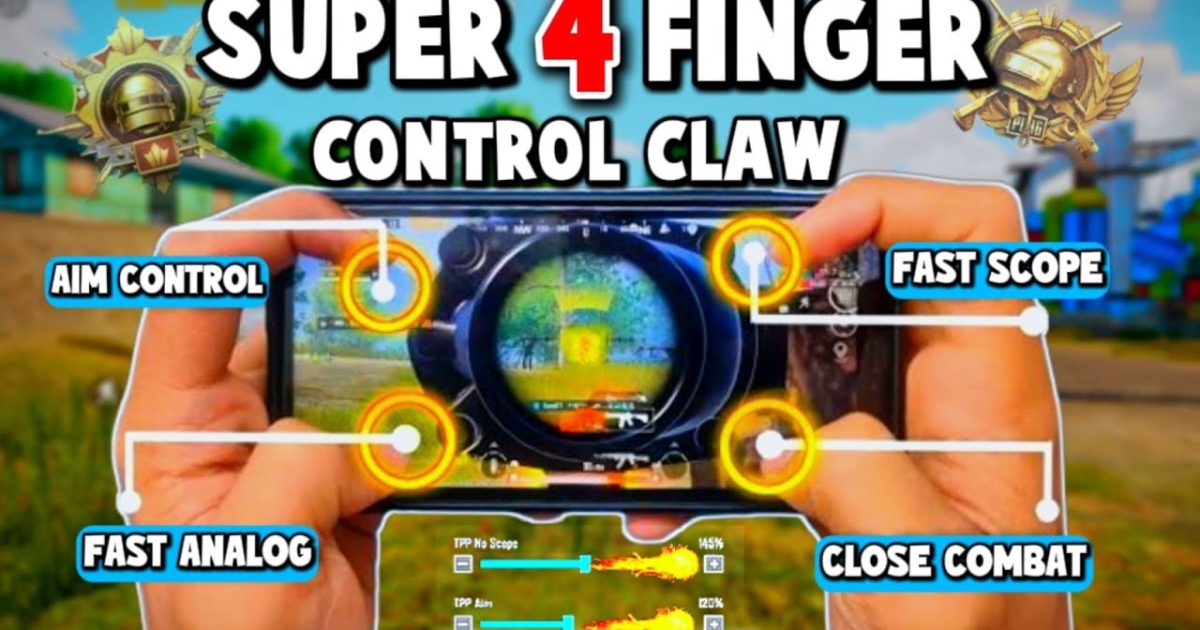
If you’re still playing PUBG Mobile with two thumbs, you’re leaving kills on the table. Switching to a 4-finger claw setup unlocks faster reactions, smoother movement, and that satisfying snap aim that makes opponents rage. But finding the perfect control code? That’s the hard part. We’ve tested dozens of layouts to bring you the 10 best 4-finger control codes that cover every playstyle — from gyro aimers to spray-and-pray rushers. Each code is optimized for different devices and preferences, so you can import and dominate immediately.
1. The All-Rounder Claw: Balanced for Every Situation
This is the default 4-finger layout that most pros start with. It places fire and scope on the left index finger, while jump and crouch go to the right index. Your thumbs handle movement and camera. It’s versatile — works in close combat and long-range sprays. We’ve fine-tuned the button sizes and opacity to reduce misclicks. If you’re new to claw, this code is your gateway. For a deeper dive into similar setups, check out our 4 finger setup guide.
2. Gyro Aiming God: 4-Finger with Full Gyroscope
Gyro users, rejoice. This layout keeps the classic 4-finger structure but cranks the gyro sensitivity to 300% for hip fire and 200% for scoped. The fire button is slightly larger, and the scope button is positioned higher so your left index can reach it without stretching. Use this code if you rely on tilting your phone for micro-adjustments. It’s perfect for DMR and bolt-action snipers. For more gyro-specific codes, browse our pubg gyro control codes.
3. The No-Recoil Beast: Spray Control Edition
Tired of your M416 climbing to the sky? This code pairs a 4-finger claw with a custom sensitivity profile that reduces vertical recoil by 15–20%. The trick is overlapping the fire and scope buttons so you can peek and shoot instantly. The right index controls a dedicated prone button for instant drop-shots. It’s aggressive and requires practice, but once mastered, you’ll win almost every straight-up fight. See more no recoil pubg control codes for variations.
4. The Comfort King: Ergonomic Low-Travel Layout
Not everyone has long fingers. This layout shrinks the button spacing and moves all actions to the lower half of the screen, reducing hand fatigue during long sessions. The left index handles scope and fire (stacked vertically), while the right index manages jump and crouch. The thumbs only move for inventory and map. It’s a game-changer for tablet players too. Check out our pubg control codes for comfortable layout if you need more ergonomic options.
5. The Rusher’s Dream: CQC Optimized
Close-quarters combat demands split-second decisions. This code places fire and scope on the same side (left index) so you can shoot and scope simultaneously. The right index has a massive prone button and a dedicated lean button. We’ve removed the reload button from the combat area — you’ll tap it manually when safe. The layout is compact, ideal for small phones. Pair it with a high DPI sensitivity for aggressive pushes.
6. The Steady Sniper: Precision-Oriented Layout
Snipers need stability. This code separates scope and fire buttons by a few pixels to prevent accidental shots. The gyro zone is enlarged, and the right index controls a dedicated ‘hold breath’ button next to the scope. We also added a custom button for switching between single and auto fire. If you main the AWM or Kar98k, this layout will tighten your grouping. For more long-range setups, our pubg mobile control codes for ranked includes sniper-friendly options.
7. The Tablet Titan: 4-Finger for Larger Screens
Playing on an iPad? This code repositions buttons to the edges of the screen, taking advantage of the extra real estate. The left index controls two stacked buttons: fire and aim down sights. The right index handles lean and crouch. All buttons are 10% larger to reduce mis-taps. The layout also includes a gyro on/off toggle near the right thumb. For tablet-specific codes, see our iPad-focused guides.
8. The Smooth Operator: Minimalist 4-Finger
Sometimes less is more. This code removes all unnecessary buttons (like the emote wheel and vehicle seat switch) from the combat screen. Only fire, scope, jump, crouch, and a single lean button remain. The result is a clean, distraction-free HUD that lets you focus on aim and movement. It’s especially effective for high-refresh-rate phones. Look for similar smooth gameplay pubg control codes if you value minimalism.
9. The Hybrid Claw: Index + Gyro Combo
This advanced layout uses the left index for fire and scope, but the right thumb handles all movement (thanks to gyro for aiming). The right index finger is free for a dedicated ‘hi’ peek button or a quick scope toggle. It’s a bit unconventional but offers incredible control once you adapt. The code includes high gyro sensitivity for hip fire and medium for ADS. Perfect for players transitioning from a 3-finger grip.
10. The Pro’s Choice: Competitive Tournament Layout
We reverse-engineered a build used by top-tier esports players. The layout prioritizes speed: fire and scope are the same button (tap to scope, hold to fire). The right index has a macro-like prone + crouch combo. Buttons are semi-transparent to reduce visual clutter. The sensitivity is tuned for 4+ finger setups with gyro. It’s not beginner-friendly, but if you want to compete in tournaments, this code gives you an edge.
There you have it — 10 curated 4-finger control codes that cover every playstyle, from casual to competitive. The best part? You can import any of these codes directly into PUBG Mobile and start practicing immediately. Don’t forget to tweak the sensitivity to match your device’s screen size and your personal comfort. Whether you’re grinding ranked solo or dominating duo lobbies, these layouts will help you aim faster, move smarter, and claim that chicken dinner.



