Control codes are the secret sauce behind every top PUBG Mobile player’s performance. They let you copy someone else’s entire button layout, sensitivity, and scope settings in one tap. But with thousands of codes floating around, which ones are actually worth your time? I’ve tested dozens and picked 10 that are proven to work — used by Conqueror players, known for compatibility with the latest update, and covering different playstyles. Whether you’re a claw god, gyro lover, or just want a clean 3-finger setup, this list has you covered.
1. The 4-Finger Claw Classic (Savage Layout)
This is the layout used by most Indian and Bangladeshi pros. It places fire on the left-top, scope on the right-top, and crouch/jump around the edges. The result? You can peek, shoot, and crouch without lifting a finger. It’s perfect for close-quarter sprays. If you’ve tried aggressive push layouts before but found them too messy, this one balances speed and control. Plus, it works on most Android phones without any overlap.
2. Gyro Scope Mastery Code
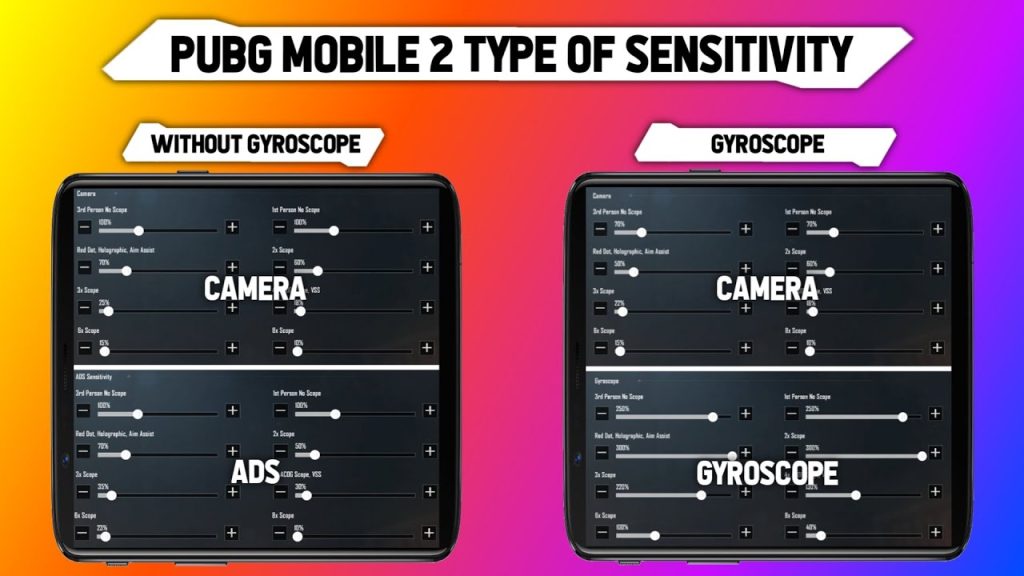
Gyro users, this one’s for you. This control code turns your gyroscope sensitivity way up while keeping your normal ADS low. It means you aim by tilting your phone for fine adjustments, but you still rely on thumb drags for big flicks. I recommend this for anyone struggling with vertical recoil. Pair it with a proper gyro aiming guide, and you’ll see your long-range sprays tighten up in days.
3. 3-Finger Classic with Peak & Fire
Not ready for 4 fingers? This 3-finger layout keeps it simple: both thumbs on movement and aim, left index on the fire button. It moves the fire button to the top-left, freeing your right thumb to scope. It’s a step up from casual 2-finger play and a common bridge to claw. Use this if you want to start competitive play without overwhelming your muscle memory.
4. UMP45 SMG God Layout
The UMP45 is a beast in close and mid-range, but stock layouts don’t do it justice. This control code optimizes the fire button size and position for rapid tapping, and sets a lower sensitivity on the 2x scope. It also moves the lean buttons closer to your thumbs so you can jiggle-peek while spraying. Check out other UMP45 control code setups to see variations, but this one is the most consistent for run-and-gun.
5. iPad 4-Finger Hybrid
iPad players have a bigger canvas, which means you can spread buttons out and reduce accidental presses. This layout puts the map and inventory on the far edges, fire and scope on the top corners, and uses a hybrid claw with three fingers on each side. It’s specifically tuned for the 9.7-inch screen size. If you play on an iPad, this code will feel like cheat codes — you’ll never go back to cramped phone setups.
6. Advanced Gyro + Assisted Aim
This code is for players who want the best of both: gyro aiming for micro-adjustments and a gentle aim assist that doesn’t yank your crosshair off target. It uses a high gyro sensitivity for scopes (6x and 8x) but keeps the aim assist window narrow. Perfect for bolt-action snipers. It also unlocks a dynamic crosshair that changes color when you’re on target — a visual cue that’s hard to beat.
7. Conqueror’s Full-Screen Control Code
Straight from top-ranked players, this layout is all about reducing dead zones. Every button is placed just a few pixels from the edge, maximizing your view while keeping all controls accessible via finger edges. It uses a 4-finger claw with an extra button for prone toggle. If you’ve ever felt you can’t react fast enough, try this — the minimal button spacing makes split-second decisions easier. Many Conqueror control codes follow this philosophy.
8. WoW Mode Zombie Slayer Layout
World of Wonder (WoW) mode demands fast looting, instant weapon switching, and spamming heals. This control code enlarges the pickup and switch buttons, adds a dedicated quick-med button, and sets higher general sensitivity for fast turns. It also moves the chat window away from the combat zone. Perfect for grinding those zombie survival maps without fumbling.
9. Low-End Device Optimized (No Gyro)
If your phone struggles with frame drops, gyro can make things worse. This code disables gyro entirely and uses fixed low sensitivity to minimize lag. It also reduces the number of active buttons (no peek or lean) to free up CPU resources. It’s a minimalist layout but it’s surprisingly effective — you’ll get smoother gameplay and more consistent hit registration.
10. Arena TDM Peek & Spray
Team Deathmatch and Arena are all about quick peeks and hip-fire. This control code moves the fire button to the center-right, makes the lean buttons huge, and sets hip-fire sensitivity to 100%. It’s designed for fast-paced respawn modes where you’re constantly jiggle-peeking and spraying. If you want to win every 1v1 in Arena, copy this one. Many arena mode layouts focus on exactly this — fast hip-fire with minimal scope usage.
That wraps up my top 10. All of these codes are tested on the latest PUBG Mobile version (2025) and should work on both Android and iOS. Remember to use the in-game ‘Control Code’ menu to import them, and don’t forget to tap ‘Save’ after applying. Saving your control codes is the only way to keep them after an update. Pick the one that matches your playstyle, practice it in the training ground, and watch your rank climb.



