Your finger placement is the foundation of every PUBG Mobile fight. Whether you’re tapping with two thumbs or using a six-finger claw, the right control code can transform your gameplay in seconds. I’ve tested dozens of pro layouts and picked the best ones for each grip style — from casual thumb players to esports tryhards. These codes aren’t just random numbers; they’re optimized for movement, aim, and quick reactions. Let’s find the perfect fit for your fingers.
1. 2-Finger Thumb Grip – Simple and Effective
The classic two-thumb layout is where most players start. It’s simple: left thumb moves, right thumb aims and shoots. But even pros use this for its comfort. I recommend a layout with the fire button slightly above the aim button to reduce thumb travel. Check out our collection of pubg 2 finger control codes if you want to stick with thumbs but need a cleaner HUD. This grip works best on small phones where you can reach everything without stretching.
2. 2-Finger Claw – Early Upgrade
A two-finger claw uses your index fingers for extra actions like crouching or scoping. It’s a small change but gives you faster reaction times. You’ll map fire and aim to your index fingers, leaving thumbs for movement and peeking. Many players use a pubg control code for classic setup that shifts buttons toward the edges. This grip is ideal for transitioning from thumbs to a full claw.
3. 3-Finger Claw – Balanced Control
Three-finger setups usually assign fire to the left index, aim to the right thumb, and movement to the left thumb. The third finger (right middle) handles scope or crouch. It’s a balanced layout that improves speed without overcomplicating things. Look for codes that keep your right thumb free for precise aiming. This grip is popular among players who want a middle ground between comfort and competitiveness.
4. 4-Finger Claw – The Sweet Spot
The four-finger claw is the most recommended layout for serious players. Your index fingers handle fire and aim, while thumbs cover movement and jump/crouch. It allows jiggle-peeking and quick dropshots. Try a pubg mobile 4 finger control code that places the lean buttons near your middle fingers. Many pros use this alongside gyro for smooth tracking. It’s the sweet spot between speed and comfort.
5. 4-Finger Claw + Gyro – Precision Plus
Add gyroscope aiming to a four-finger claw and you get near-instant target acquisition. Gyro takes over fine adjustments, so you can keep your thumbs on movement. Look for pubg control codes for gyro players that disable gyro while hip-firing to avoid drifting. This combo is beastly for long-range sprays. Your sensitivity should be low for gyro to avoid shaky aim.
6. 5-Finger Claw – Maximum Utility
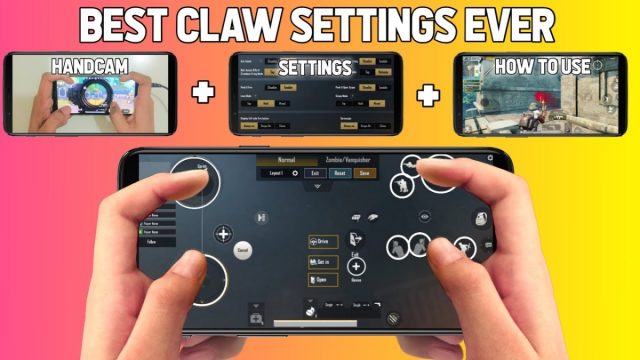
Five fingers let you bind separate buttons for scope, crouch, prone, and jump without losing movement. Your right middle finger can control the scope while left middle handles crouch. It’s a dense layout that rewards practice. I’ve seen esports pubg control codes that use the extra finger for quick scope toggle. This setup shines in CQC where you need to crouch-spam and jump-peek.
7. 6-Finger Claw – Full Control
Six fingers mean every action has a dedicated button. Your index fingers handle fire and scope, middle fingers handle lean/crouch, and thumbs handle movement and jump. The HUD becomes tight, so you need a large phone or iPad. The latest pubg control codes for 6 finger put the map and backpack at the edges to avoid accidents. This layout is overkill for most, but if you have the dexterity, you’ll never miss a button again.
8. Adjusting Sensitivity Per Grip
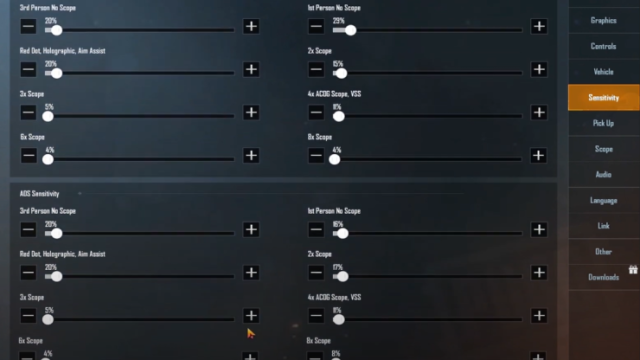
Your sensitivity should match your grip. Claw players need lower ADS sensitivity because they have more finger surface for fine control. Thumb players need higher sensitivity for quick flicks. The pubg control codes full guide explains how to calibrate per grip. A common trick: set your gyro sensitivity higher for four-finger claw to aid recoil control without over-aiming.
9. Testing and Tuning Your Layout
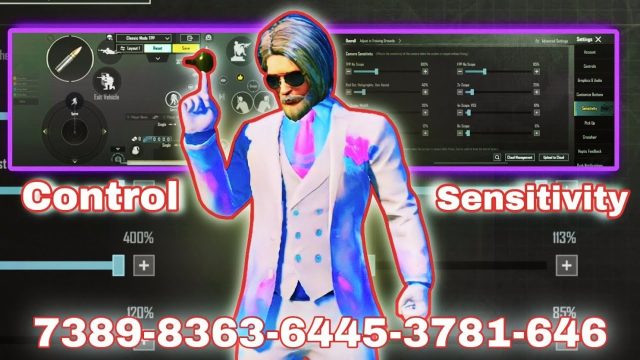
Don’t just copy a code — adapt it. Spend 10 minutes in the training ground moving and shooting. Adjust button sizes and transparency. Make sure your fingers don’t cramp. The best layout is the one that feels natural after a week. Keep your pubg mobile control code india or global layout saved as a backup. Rotate between a few presets and stick with the one that gives consistent results.
Your finger placement is personal, but these control codes give you a head start. Start with the grip that matches your current skill level and upgrade gradually. Whether you’re rocking two thumbs or six fingers, the key is to minimize finger travel and maximize speed. Import a code, tweak it, and own the battlefield.