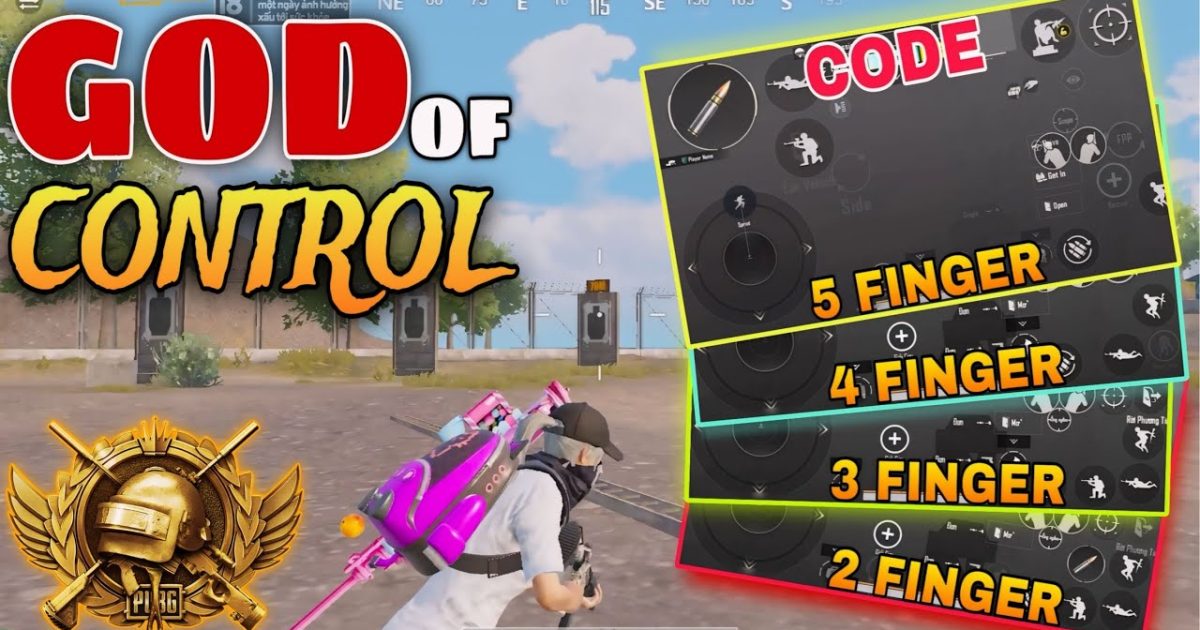
Rush gameplay in PUBG Mobile is all about aggression—pushing every fight, winning close-range duels, and keeping the pressure on. But you can’t rush effectively if your controls are clunky or slow. That’s where control codes come in. We’ve scoured layouts from top fraggers and streamers to bring you the best PUBG control codes tailored for rush gameplay. Each code on this list has been tested for speed, precision, and close-quarters dominance. Whether you’re a claw player or a thumb warrior, there’s a layout here to elevate your push game. Ready to become the squad’s entry fragger? Let’s dive in.
1. The 6-Finger Claw Layout for Maximum APM
If you want to rush like the pros, you need more fingers on screen. The 6-finger claw layout maps your fire, ADS, peek, jump, crouch, and scope to separate digits, letting you perform multiple actions at once. For example, you can jump-peek and shoot without lifting a finger. This code arranges your buttons so that your index fingers handle fire and scope, while middle fingers control movement and peeking. It takes practice, but once you get used to it, your reaction time drops significantly. Check out our dedicated post on pubg mobile control codes with 6 finger claw for a ready-to-import code that top streamers use.
- Fire button on top-left (index finger)
- Scope button on top-right (index finger)
- Peek buttons on the sides (middle fingers)
- Jump and crouch allocated to bottom corners
2. Gyroscope Sensitivity for Snap Aiming
Gyroscope is a game-changer for rush gameplay. By tilting your device, you can make micro-adjustments faster than swiping. For close-quarters, you want high gyro sensitivity so that a slight tilt snaps your crosshair onto an enemy. Most aggressive pubg control codes recommend a gyro sensitivity of 300-400% for third-person and red-dot scopes. This lets you flick aim instantly without overshooting. Pair it with a low dead zone for maximum responsiveness. Remember to enable gyro ‘always on’ in your control settings, not just when scoped.
3. High ADS Sensitivity for Close-Range Flicks
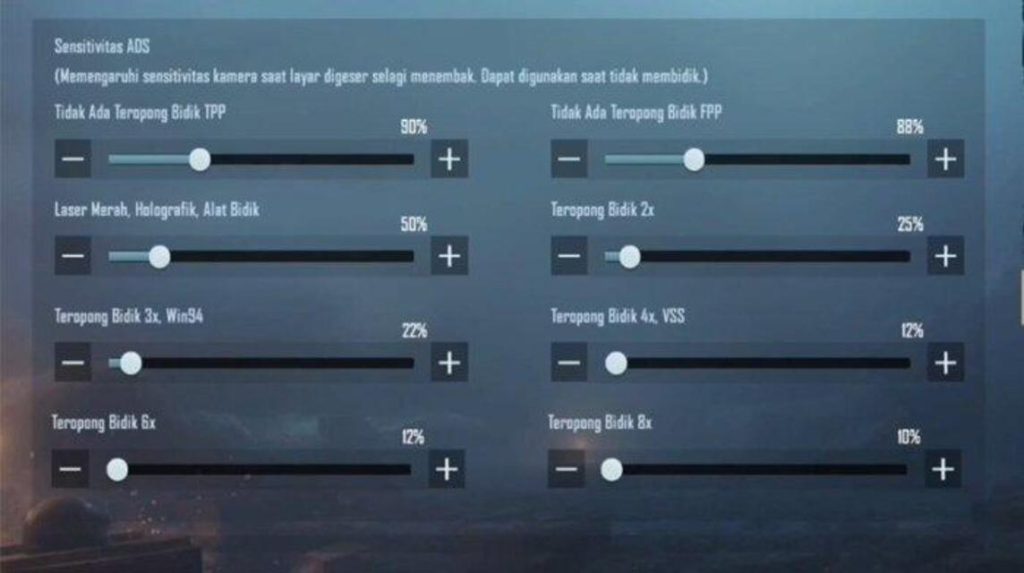
When you’re hip-firing or using a red dot at point-blank range, you need a high ADS sensitivity to track moving targets. A good range is 80-100% for camera sensitivity and 90-110% for ADS sensitivity. This allows you to snap to enemies instantly without dragging your thumb across the screen. Some pro players even set their red-dot sensitivity to 120% to outmaneuver opponents in tight spaces. Just remember to lower it for 4x scopes—you don’t want to overshoot at mid-range. You can find ready-made codes with perfect sensitivities in our pro pubg control codes list.
4. Sprint and Loot Sensitivity for Fast Movement
Rush gameplay isn’t just about shooting—it’s about moving fast and looting on the fly. Your sprint sensitivity controls how quickly your character turns while running. Set it high (around 120-150%) so you can spin around to check corners without slowing down. Similarly, your loot sensitivity should be high enough to quickly drag items into your inventory during combat. Many aggressive players map a dedicated ‘sprint-loot’ button that combines auto-pickup with fast movement. Look for a control code that offers this in the pubg mobile control layout codes library.
5. Optimized Button Size and Opacity to Avoid Misclicks
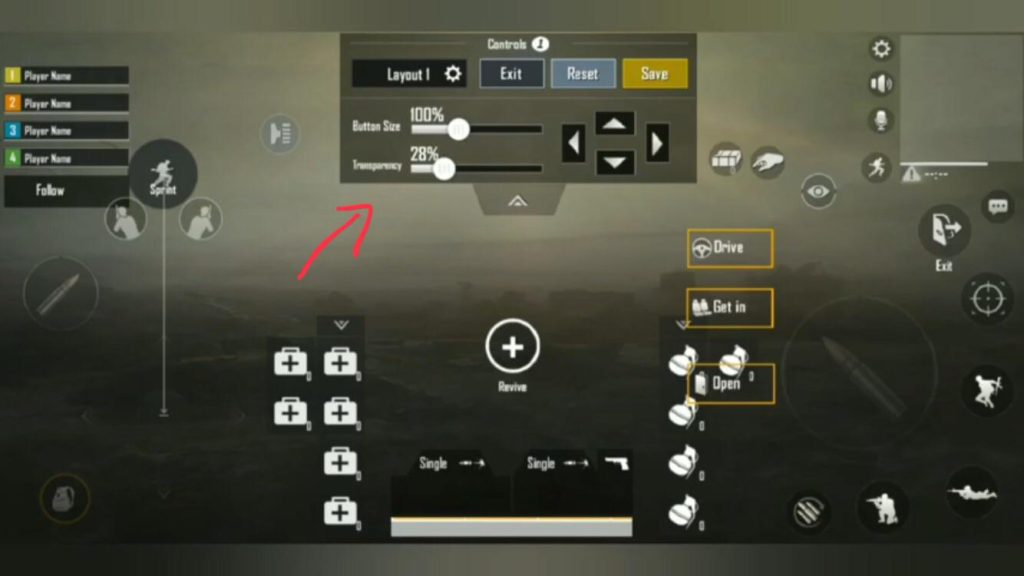
During intense rushes, you don’t have time to look at your buttons. If your buttons are too small or too transparent, you’ll miss taps and die. The ideal button size for rush gameplay is 40-50% of the maximum, with 80-100% opacity. This ensures your fingers hit the right spot every time. Also, arrange your buttons with enough spacing—crowded layouts cause accidental grenade throws instead of reloads. Use a grid spacing of at least 20% between buttons.
6. Separate Peek and Fire Buttons for Quick Peeks
Peeking and firing in quick succession is a core rush mechanic. Instead of using the same button for both, set up separate peek buttons (left and right) near your fire button. This allows you to lean out and shoot without repositioning your finger. Many streamer pubg control codes place the peek buttons on the left side of the screen for thumb reach, with fire on the right. Practice the ‘jiggle peek’—lean, fire two shots, lean back—to win fights behind cover.
7. Scope Sensitivity for CQC Scopes
For close-quarters scopes like the red dot, holo, and 2x, you need a sensitivity that’s high enough to track strafing enemies but not so high that you miss your first shot. A sweet spot is 80-100% for these scopes. If you use a 3x or 6x on assault rifles for mid-range, lower them to 50-60% to maintain control. Some rush layouts also map a separate scope sensitivity for each scope type. For recoil control tips, check out our guide on pubg control codes for recoil management.
8. Movement Controls: Free Look and Reload Placement
Rush gameplay demands constant awareness. The free look button lets you scan your surroundings while running in a straight line. Place it near your left thumb so you can activate it without stopping. The reload button should be large and in a spot you can hit without looking—many players put it right above the fire button. Also, consider adding a quick ‘hold to crouch’ button for slide-peeking. Smooth movement = better rushing.
9. Hold to Fire vs. Tap to Fire
Most aggressive players prefer ‘hold to fire’ because it allows better control over burst length. Tap to fire can cause accidental shots during intense moments. Set your fire mode to ‘hold’ and adjust the release sensitivity so that letting go stops firing instantly. This is a small change that makes a big difference in close-range spray transfers. You can import this setting via any aggressive pubg control codes layout.
10. Quick Access to Meds and Throwables
In a rush, you don’t have time to open your inventory for a smoke grenade or a first aid kit. Map your most-used consumables to dedicated buttons near your movement hand. For example, put a first aid button on the top left and a grenade button on the top right. You can assign up to four quick items in the control settings. This lets you heal or throw utility without breaking your flow.
These ten control codes should transform your rush gameplay. Remember, the best layout is one that feels natural—tweak the button positions and sensitivities to match your playstyle. Start by importing a code from our recommended list, then adjust from there. Now get out there and push every fight!



