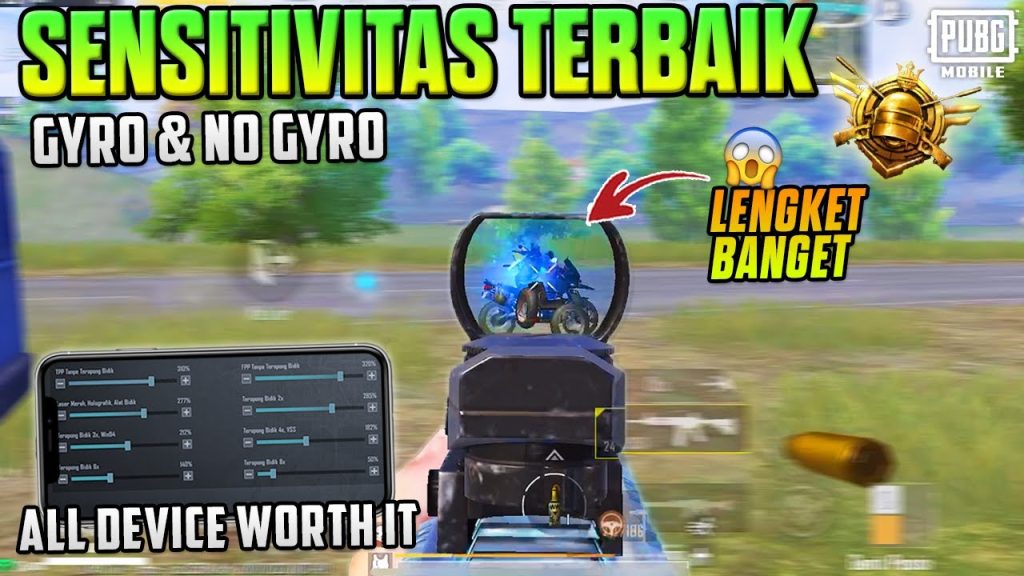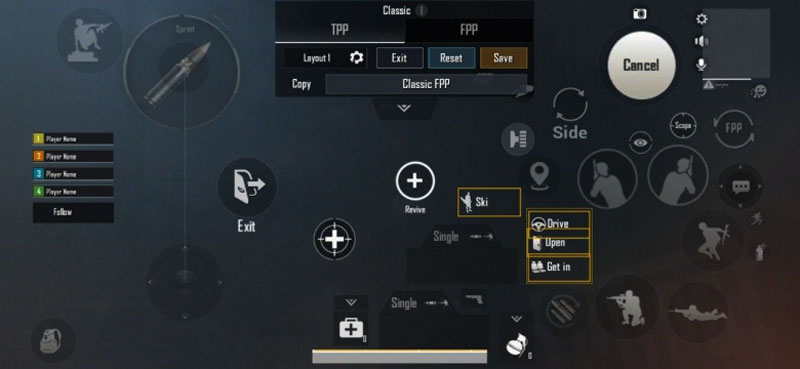
Not a fan of gyroscope? No problem. While gyro can improve your aim, many top PUBG Mobile players prefer the stability of traditional touch controls — and they’ve got the layout codes to prove it. In this list, we’ve rounded up 10 no gyro layout codes that cover everything from beginner-friendly thumb setups to advanced 5-finger claw configurations. These codes have been tested for smoothness, recoil control, and quick reactions, so you can copy-paste your way to a better game. Whether you’re on a small phone or an iPad, there’s a layout here for you. Ready to ditch the gyro and still beam your enemies? Let’s dive in.
1. 4-Finger Claw Classic – The All-Rounder
The 4-finger claw is the gold standard for no gyro players. This layout puts your index fingers on the fire and scope buttons while thumbs handle movement, aim, and extra actions. The code we’re sharing is a classic variant that keeps everything ergonomic. It’s perfect for players who want a balanced setup for both close-range sprays and mid-range taps. We’ve seen this code used by several pro players who rely purely on touch. If you’re new to claw grips, check out our pubg control codes beginner tutorial for help getting started.
2. 3-Finger Claw – The Gyro-Free Starter
Not ready for four fingers? A 3-finger claw gives you the advantage of a dedicated fire finger without overwhelming your muscle memory. This layout uses your left index for shooting, thumbs for movement and aim, and your right thumb for scope. It’s a great stepping stone if you’re transitioning from thumbs to claws. The code here is optimized for quick jiggle peaks and strafing. Plus, it works well with small phones, so you don’t feel cramped. For more beginner-friendly options, browse our list of pubg mobile control layout codes.
3. 5-Finger Claw – Maximum Control, No Gyro Needed
Want to go all-in? The 5-finger claw gives you the most buttons under your fingers without relying on gyro. This layout uses both index and middle fingers for fire, scope, crouch, and prone, freeing your thumbs for fluid movement and 360-degree aim. The downside is a steeper learning curve, but the payoff is insane recoil management and instant response. We’ve included a code that has become popular among competitive players. Pair it with a high sensitivity and you’ll dominate CQC. For more aggressive setups, see our pubg control codes for close combat.
4. Thumb Layout – Simple Yet Deadly
Believe it or not, thumb-only layouts still crush in higher tiers when configured correctly. This no gyro code uses a compact button arrangement so your thumbs can reach every action without stretching. Key features include a slightly offset fire button, a scope button placed near your right thumb’s natural resting spot, and a large inventory button for fast looting. It’s ideal for casual players or those who play on a small screen. The best part? No gyro means you can play without worrying about accidental screen tilts. For more thumb-friendly setups, check out our pubg mobile control codes new season.
5. iPad Thumb + Index Hybrid – Big Screen, Big Wins
iPad players often struggle with gyro because of the device’s weight. This no gyro layout uses a thumb-index hybrid: your left index handles fire, right thumb aims, and left thumb moves. It takes advantage of the iPad’s extra screen real estate to spread buttons comfortably. The code includes a dedicated peek button and a crouch button near your right thumb for easy stutter-stepping. If you rock an iPad, this layout might be your new favorite. We’ve also shared some excellent pubg control codes for recoil management that pair well with this setup.
6. Quick Scope Layout – For the Aggressive Sniper
No gyro doesn’t mean you can’t quick scope. This layout is built for DMR and bolt-action users who need to scope in, shoot, and scope out rapidly. The fire and scope buttons are placed close together, controlled by your right thumb, while your left thumb handles movement and crouch. The key is a small scope button that prevents accidental double-taps. We’ve also adjusted the ADS sensitivity to sync with the layout. Combine this with a vertical grip and you’ll be landing headshots like a pro. Learn the basics of code application in our guide on how to apply pubg control codes.
7. Recoil Spray God – Keep Your Crosshair Still
One of the biggest myths is that you need gyro to control recoil. Not true. This layout focuses on finger placement to naturally drag your aim down while spraying. It uses a 4-finger claw with the fire button on your left index and a dedicated crouch button for stabilization. The sensitivity is tuned for medium to long-range sprays with ARs like the M416. You’ll be surprised how steady your spray becomes without gyro. For more recoil tips, check out our dedicated pubg control codes for recoil management.
8. Close Combat Frenzy – W Key Style
When you’re in the thick of it, you need a layout that lets you hip fire, jump, and crouch without lifting a finger. This no gyro code uses a 4-finger claw with the fire button on the left index and jump/crouch on the right index. The scope button is moved to a top corner, encouraging you to hip fire in close fights. It’s a rush-heavy setup that relies on movement over aim. If you love pushing every fight, copy this code. For more aggressive tactics, see our pubg control codes for close combat.
9. Sniper’s Perch – Long Range Precision
For those who prefer picking off enemies from a distance, this layout emphasizes steady aim and quick bolt cycling. It’s a 3-finger claw with the fire button on the left index and the scope on the right thumb. The reload button is placed near your left thumb for fast chambering. We’ve also increased the scope button size to avoid misclicks. This code works best with a 6x or 8x scope and a cheek pad. Remember, no gyro means you’ll need to practice micro-adjustments with your thumb.
10. Minimalist No Gyro – Clean and Fast
Last but not least, a minimalist layout for players who want zero clutter. This code hides most buttons (like prone, peek, and scope) behind a toggle or uses a very small button size. The idea is to free up your screen view while keeping essential actions accessible. It’s a thumb-only setup with an emphasis on quick looting and snappy movement. If you find standard layouts too messy, give this one a try. It’s also great for streamers who want a clean recording. For more layout inspiration, browse our pubg mobile control layout codes.
That wraps up our list of 10 PUBG no gyro layout codes that should help you aim better without tilting your device. Whether you’re a thumb warrior or a claw pro, there’s a code here that’ll tighten your spray and speed up your reactions. Don’t forget to experiment with sensitivity settings after applying the code — every player’s skin is different. And if you have a favorite no gyro layout that we missed, drop it in the comments! Game on.